A native debugging proxy with an API client built in. Decrypt, pause, mock and break any request, see what every model call costs, and test your API from the traffic you already have.
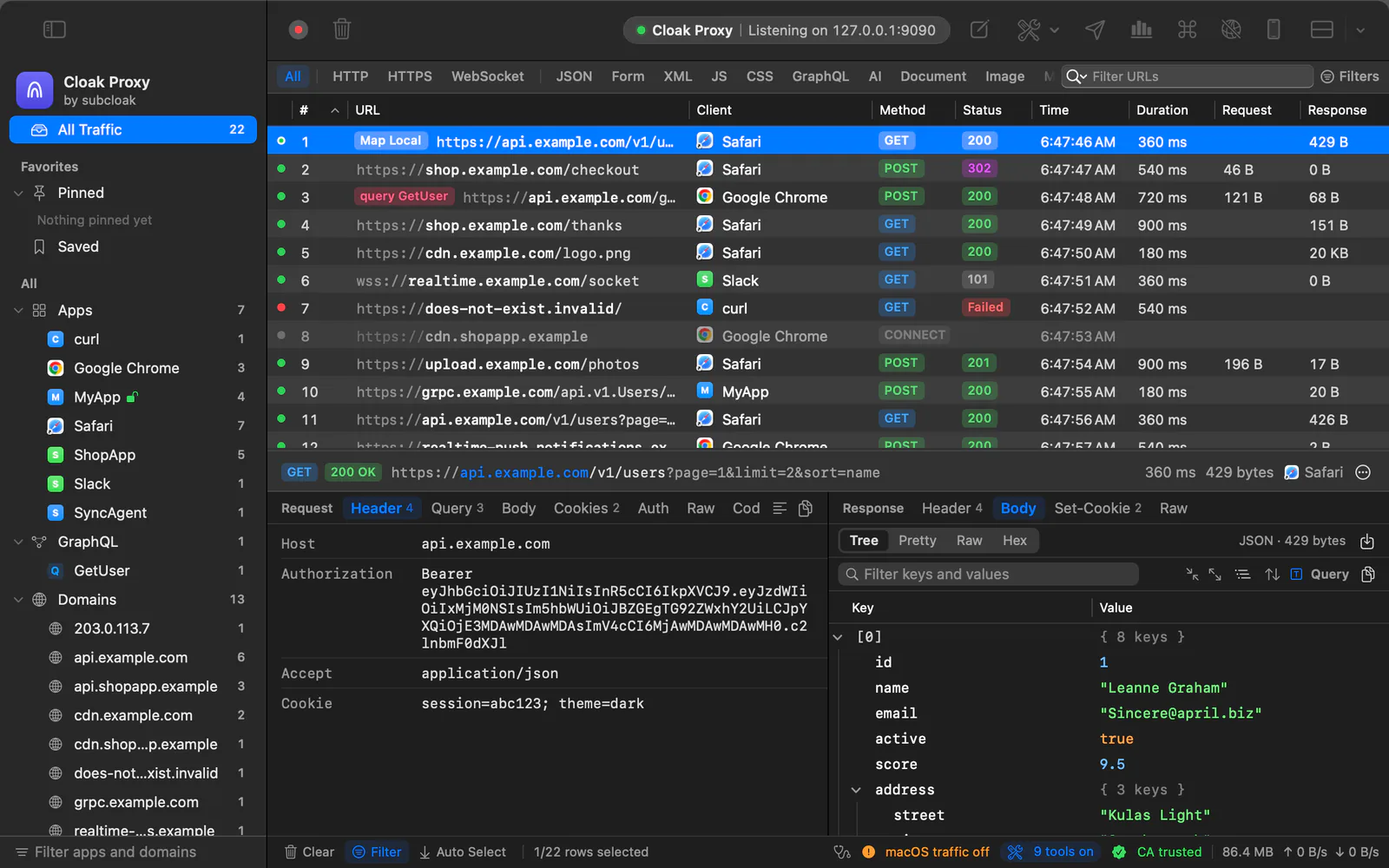
Written in Swift, with a command palette for everything (⇧⌘A). Switch between the main screens, in light or dark.
Cloak Proxy
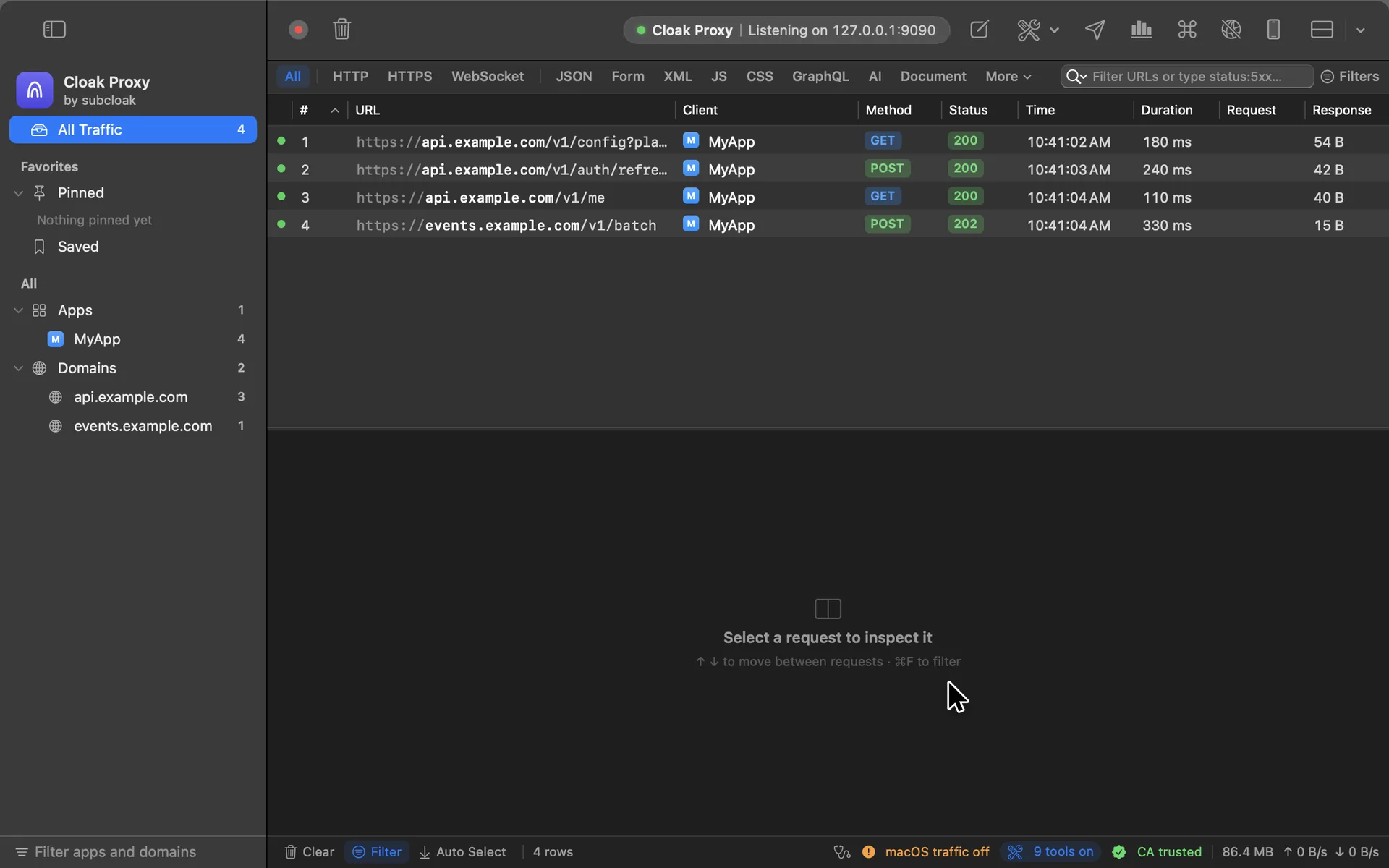
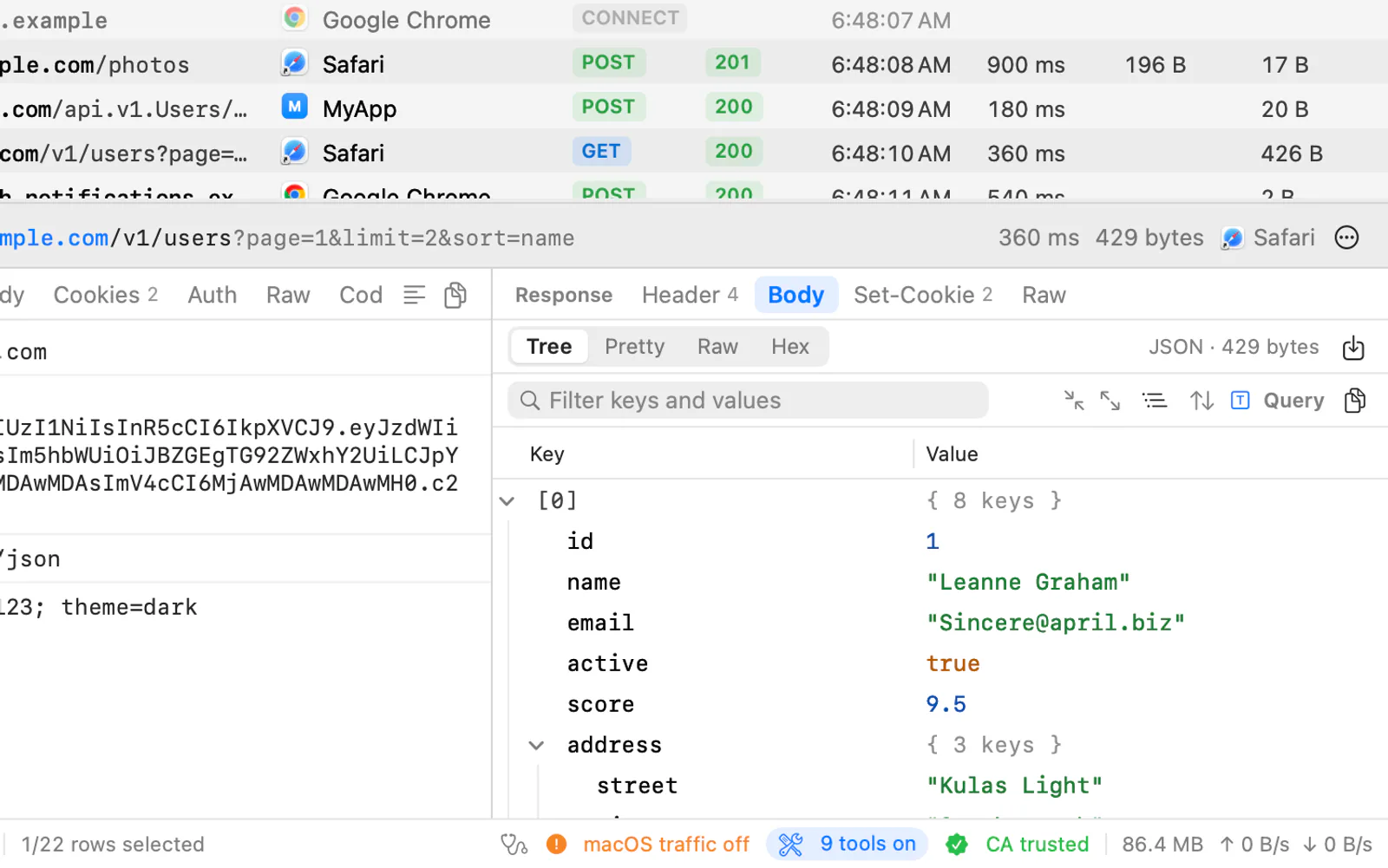
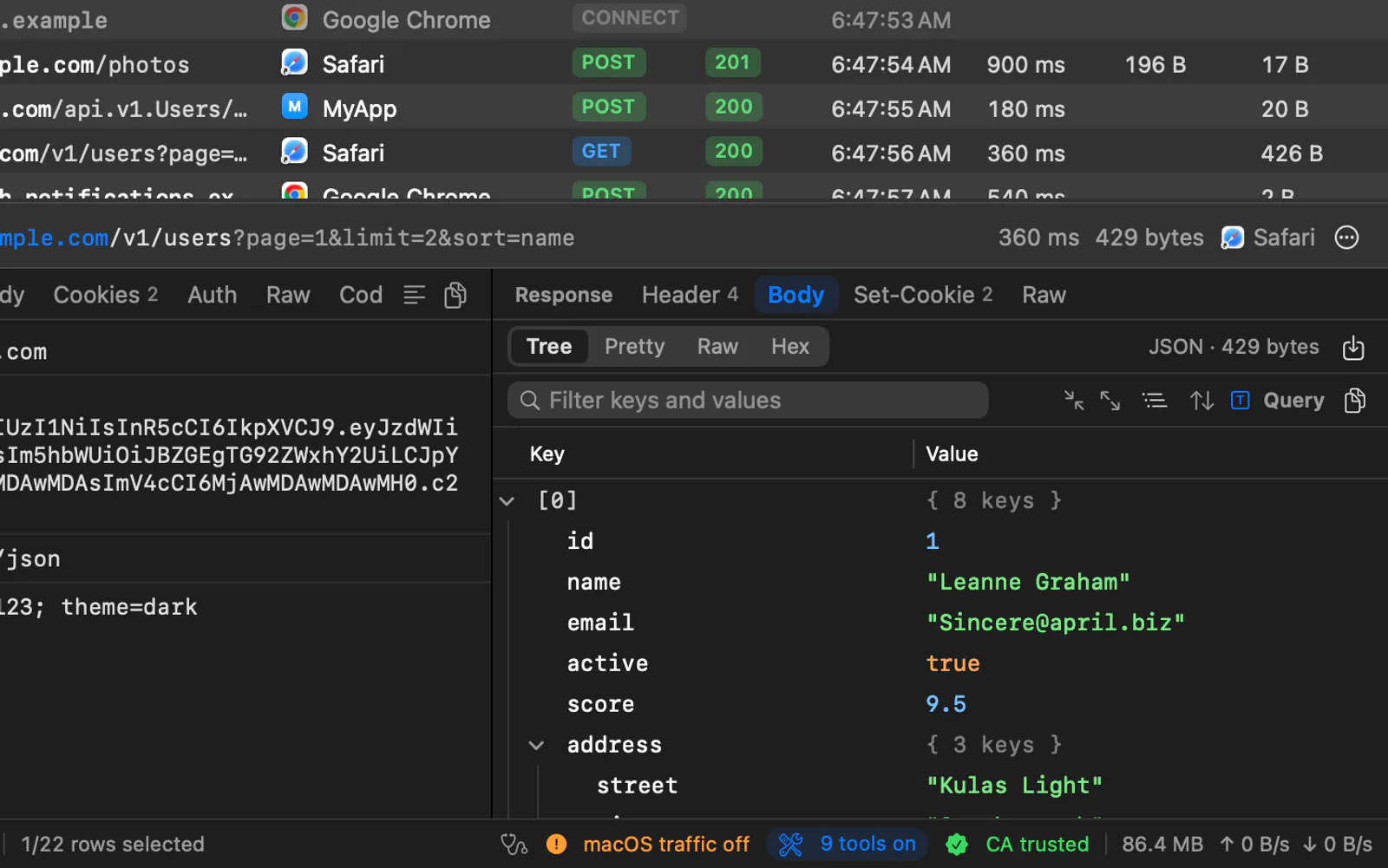
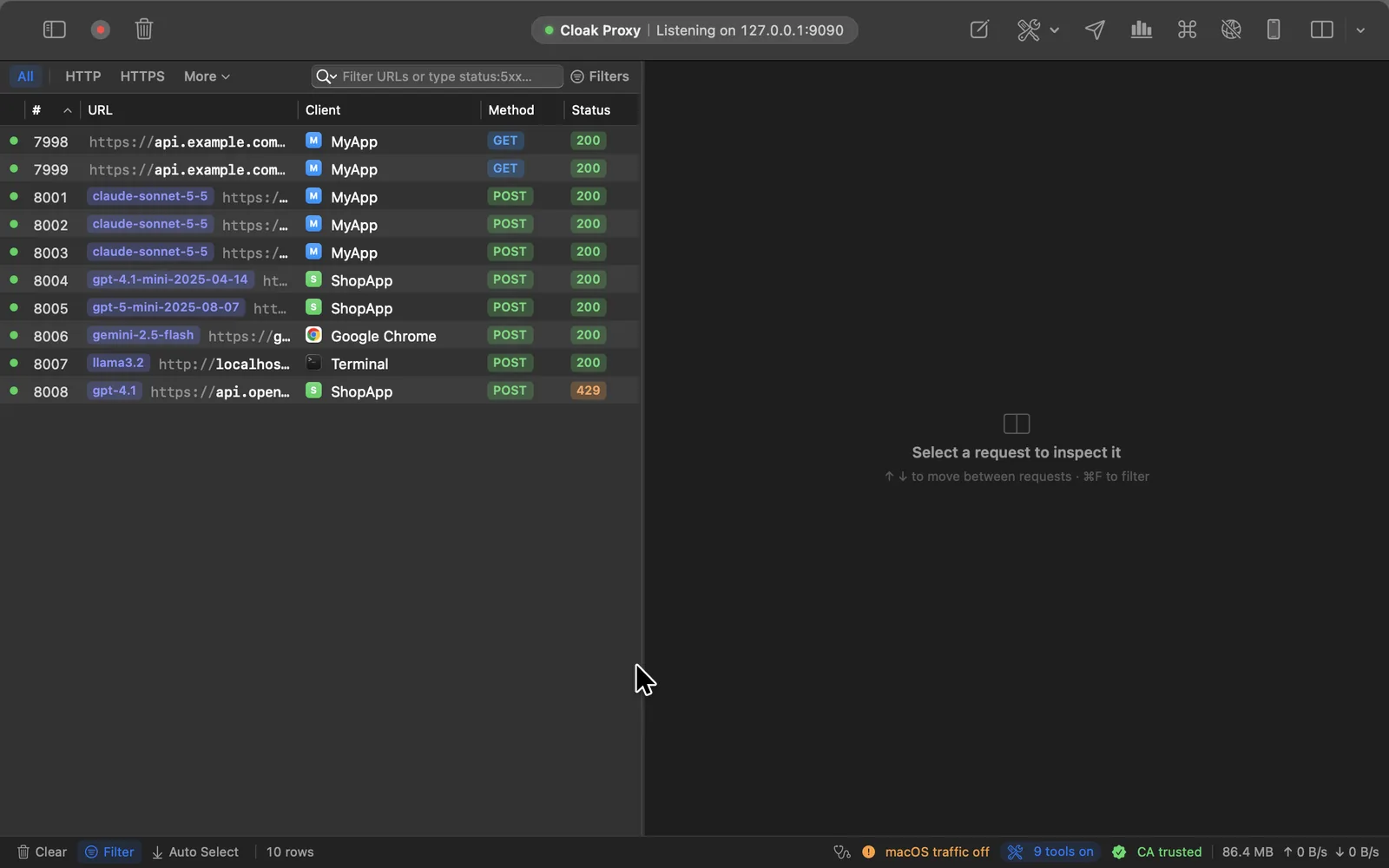
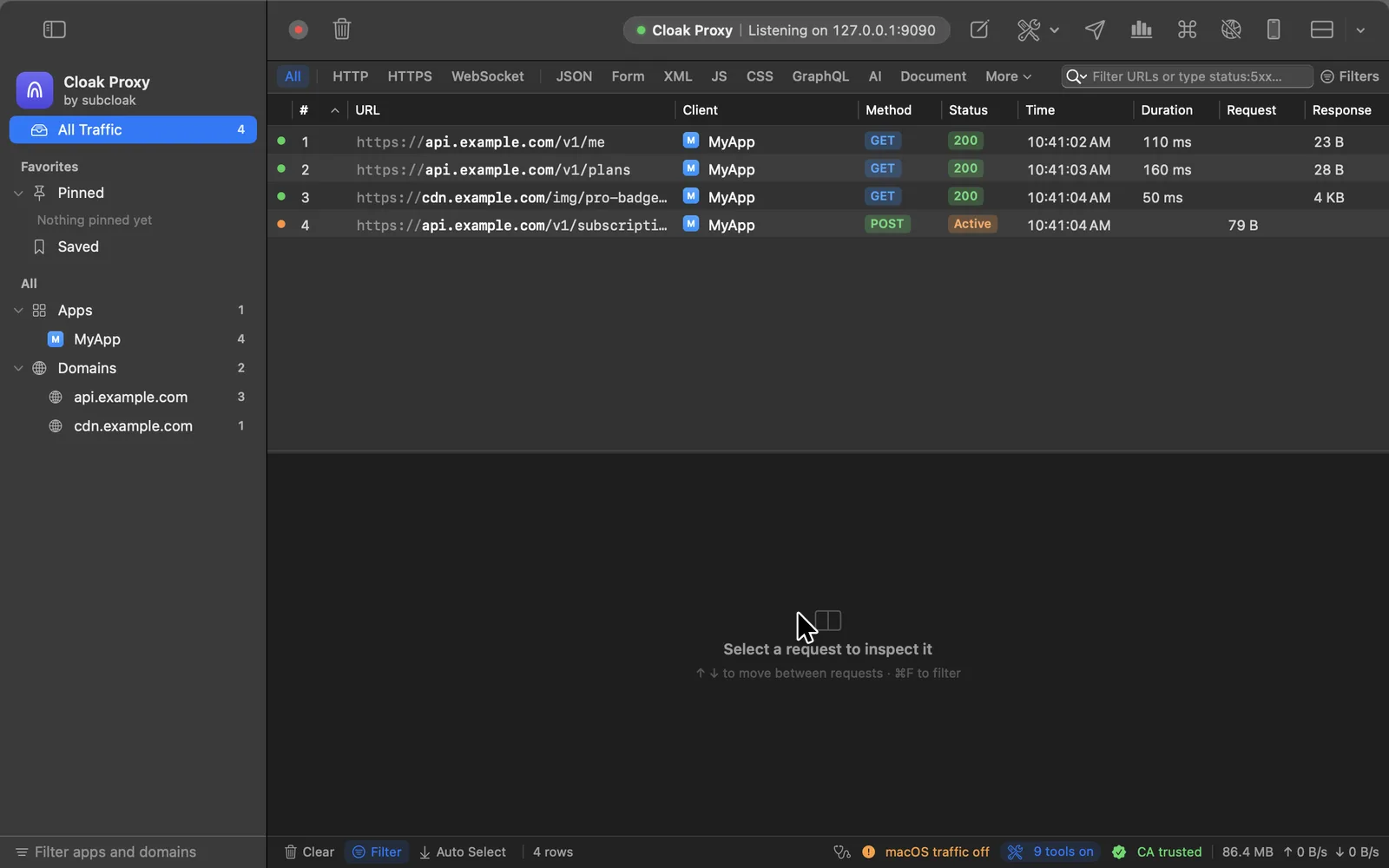
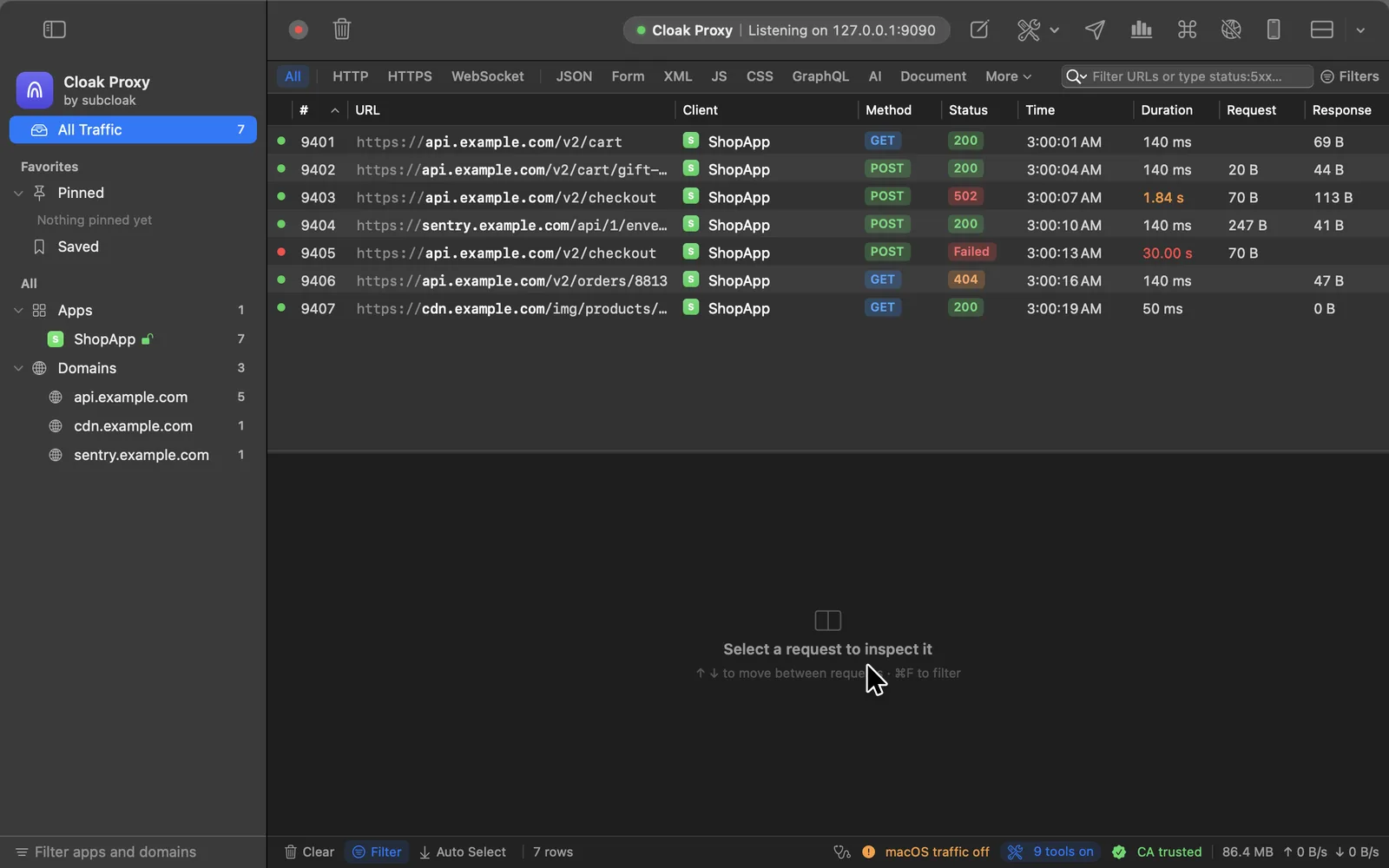
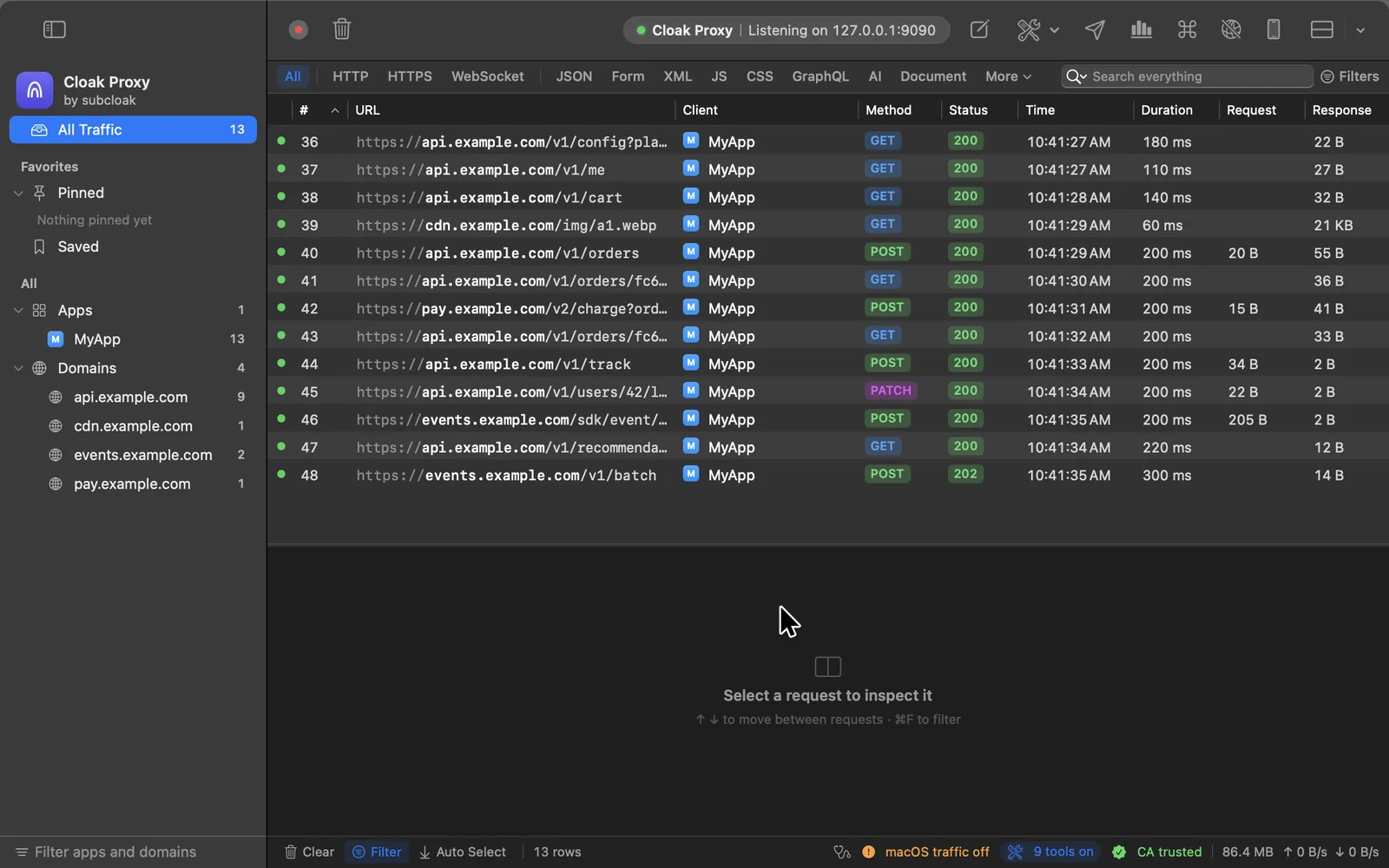
Every request, live
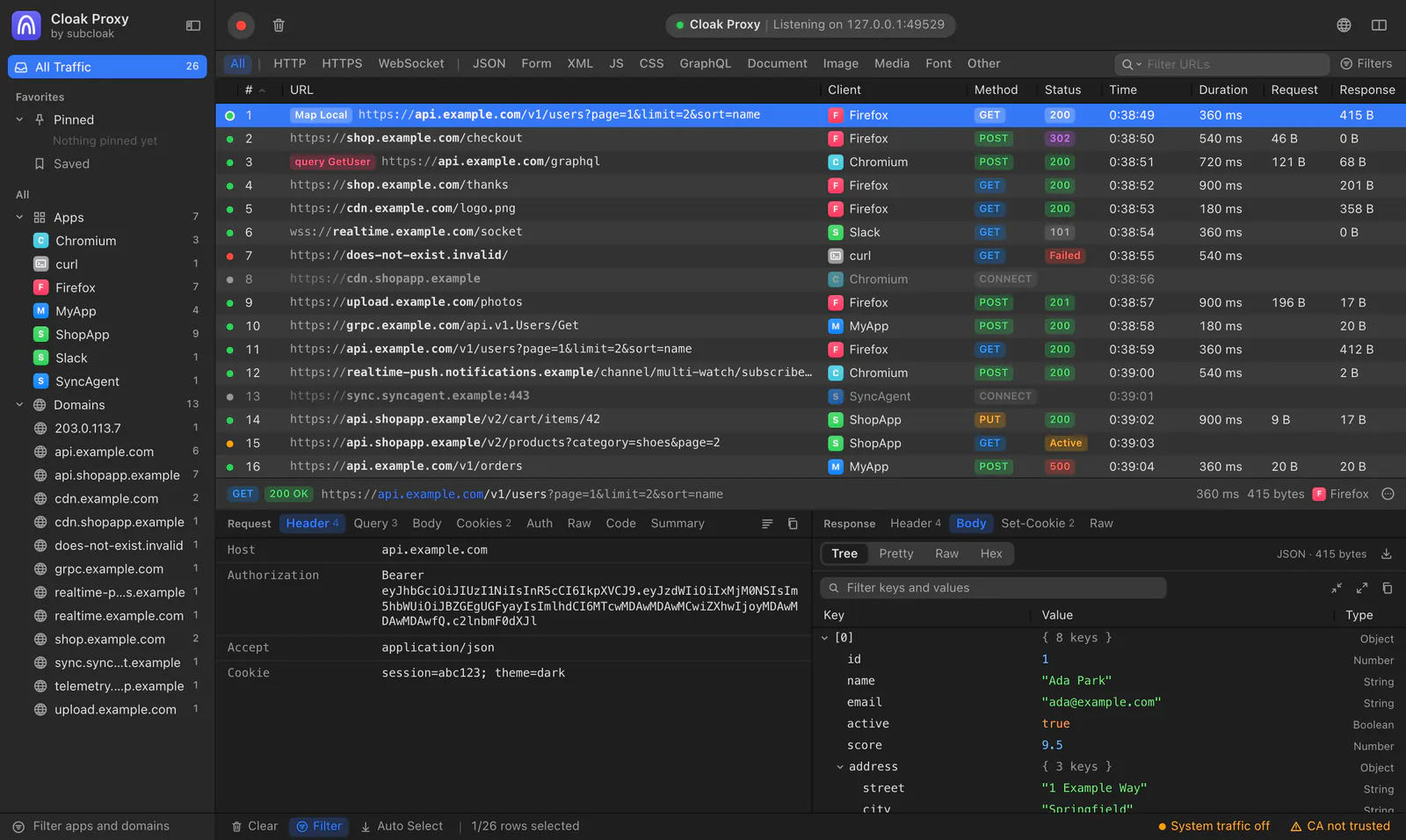
Each app and host in the sidebar, with method, status, size and timing. Filter by anything you type.
Cloak Proxy
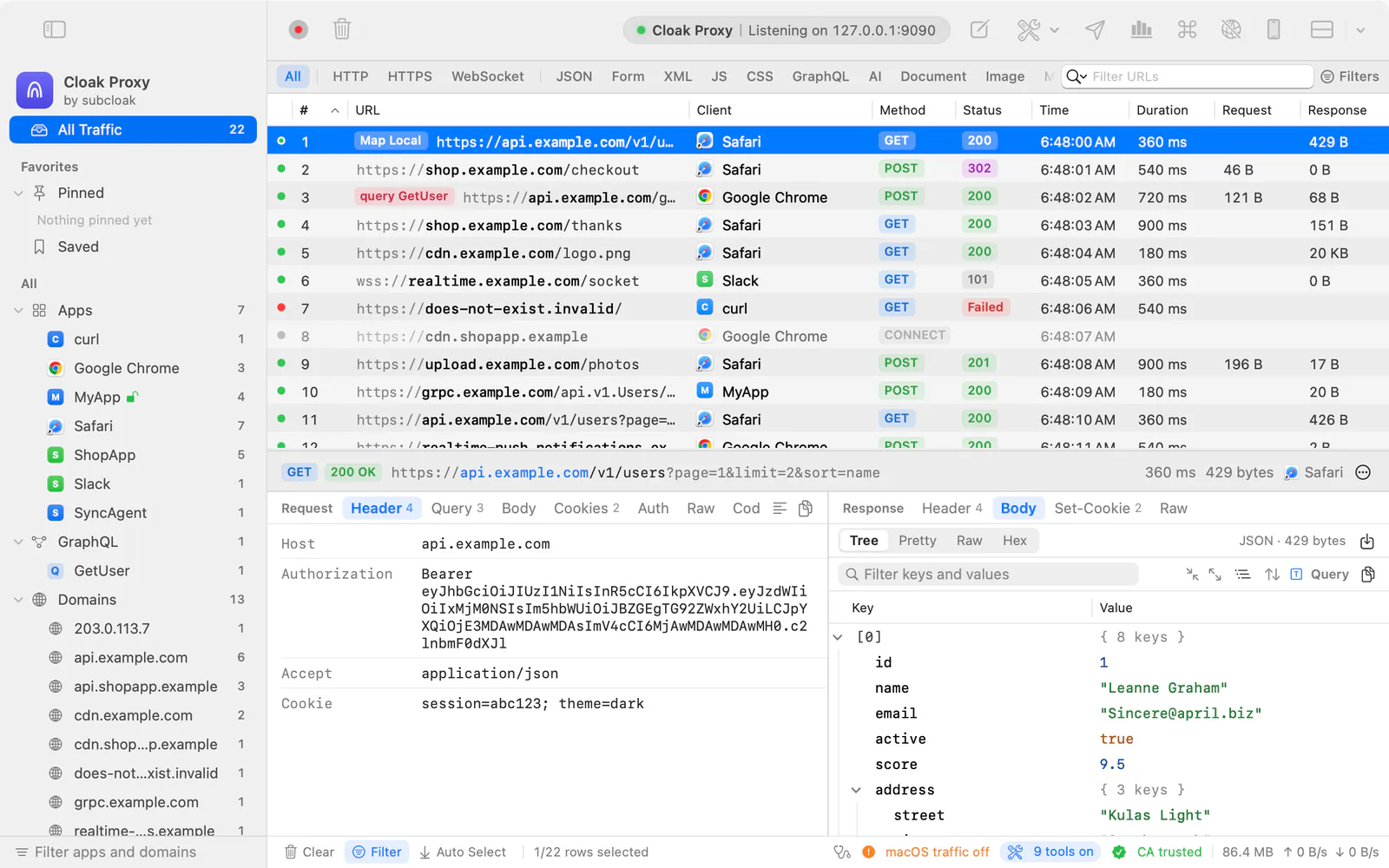
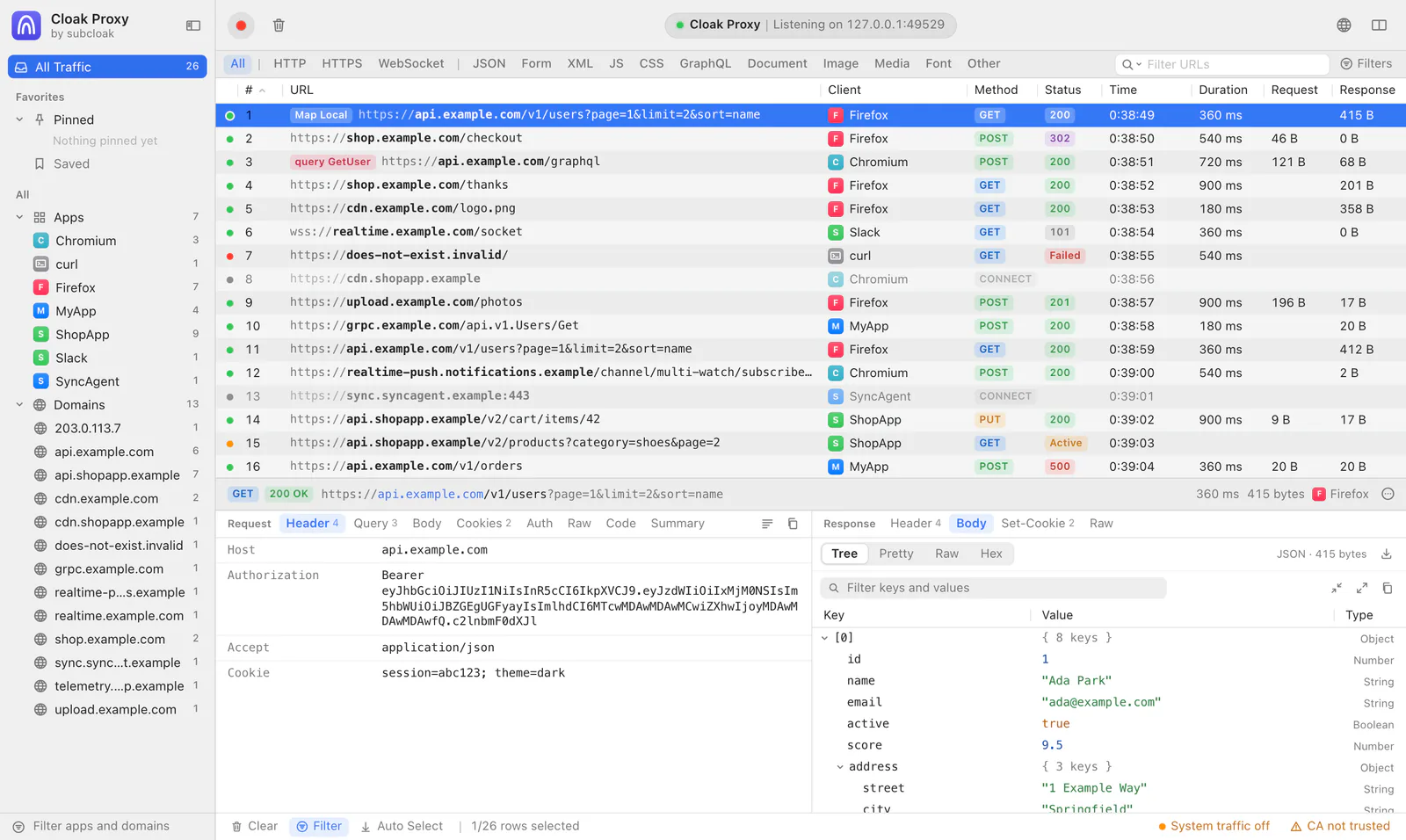
Request and response, side by side
A fast JSON tree with JSONPath and jq, plus viewers for forms, images, Protobuf, MessagePack and hex.
Cloak Proxy
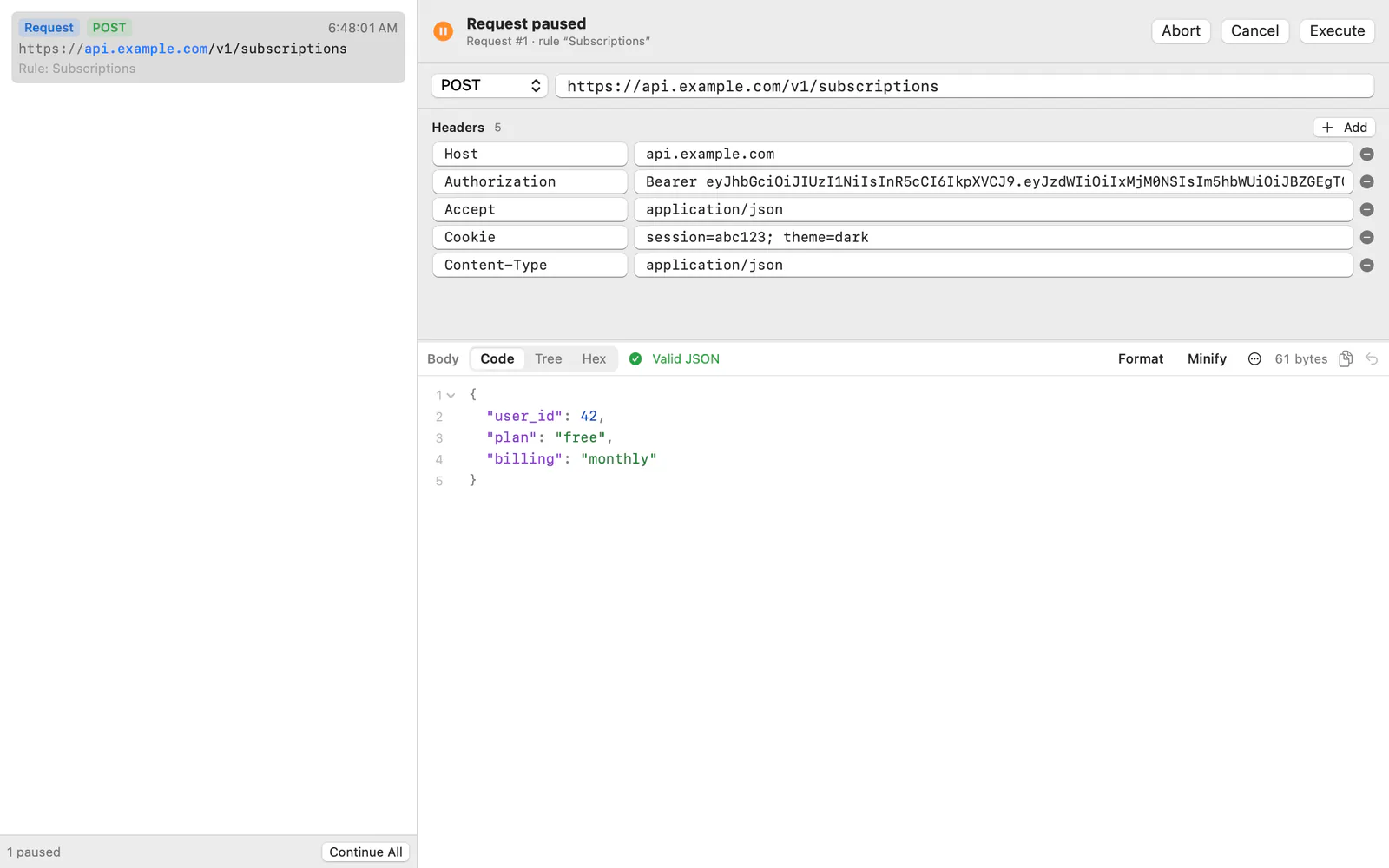
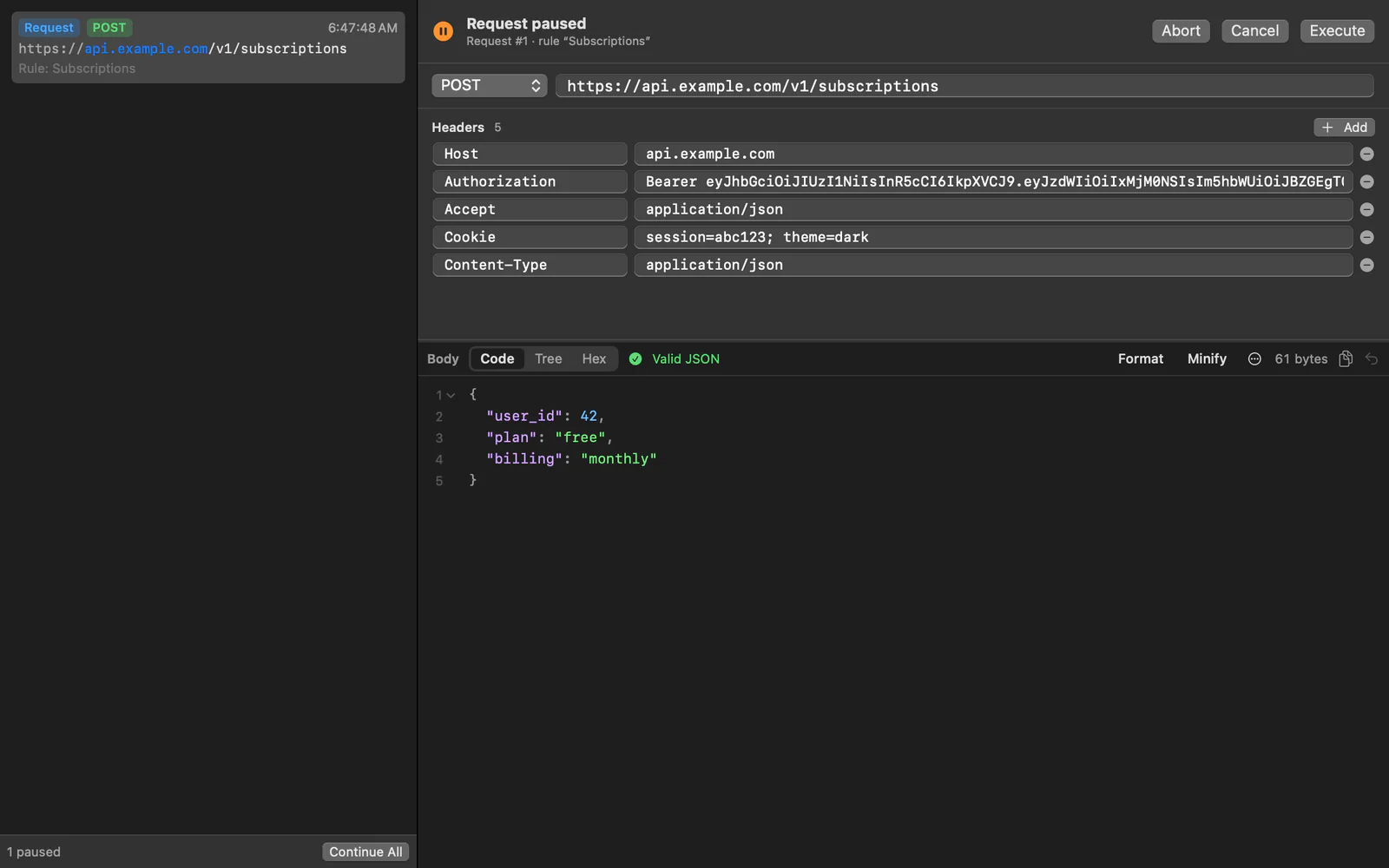
Pause it, mock it, change it
12 debugging tools, each a right-click away on any captured request.
Cloak Proxy
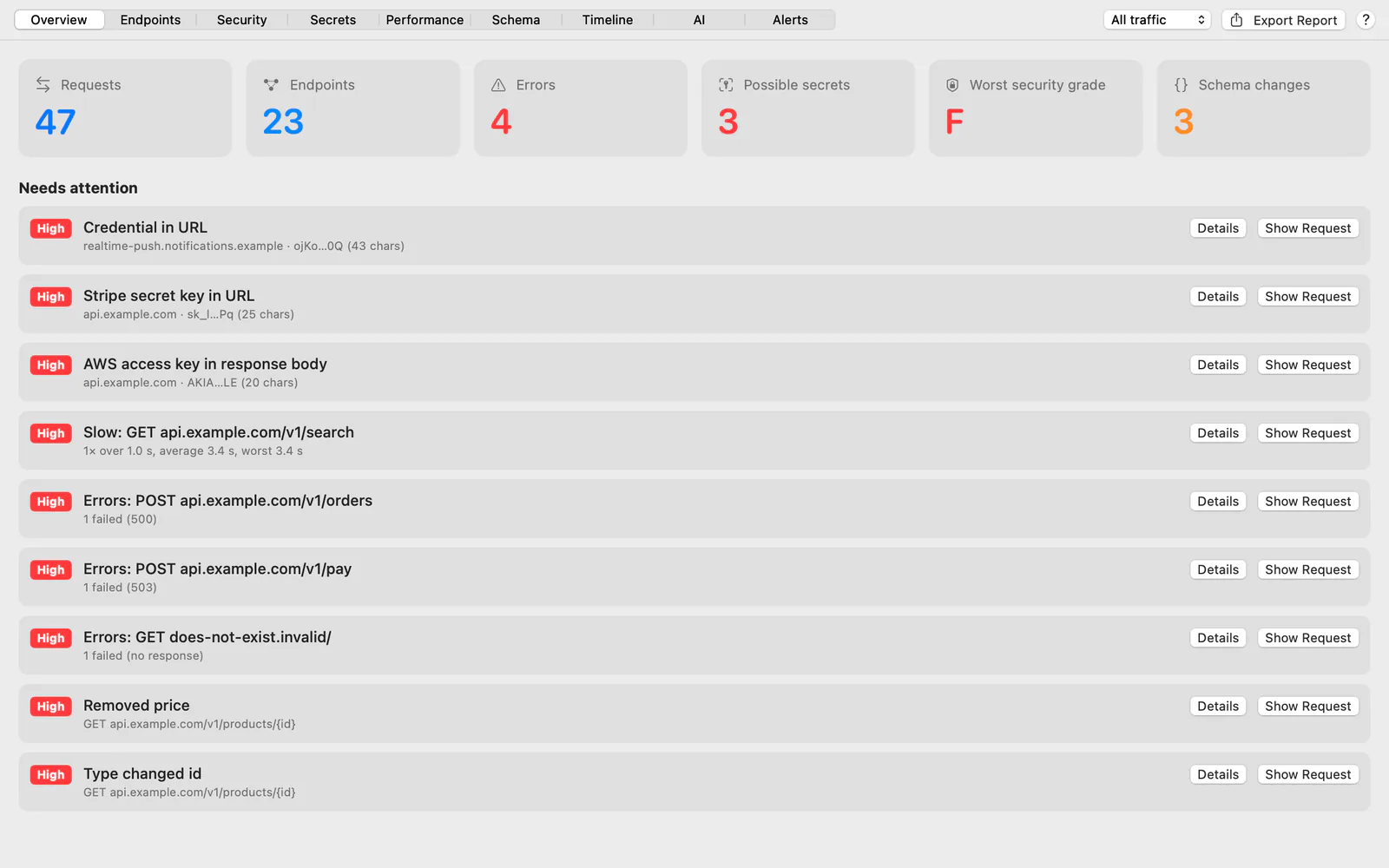
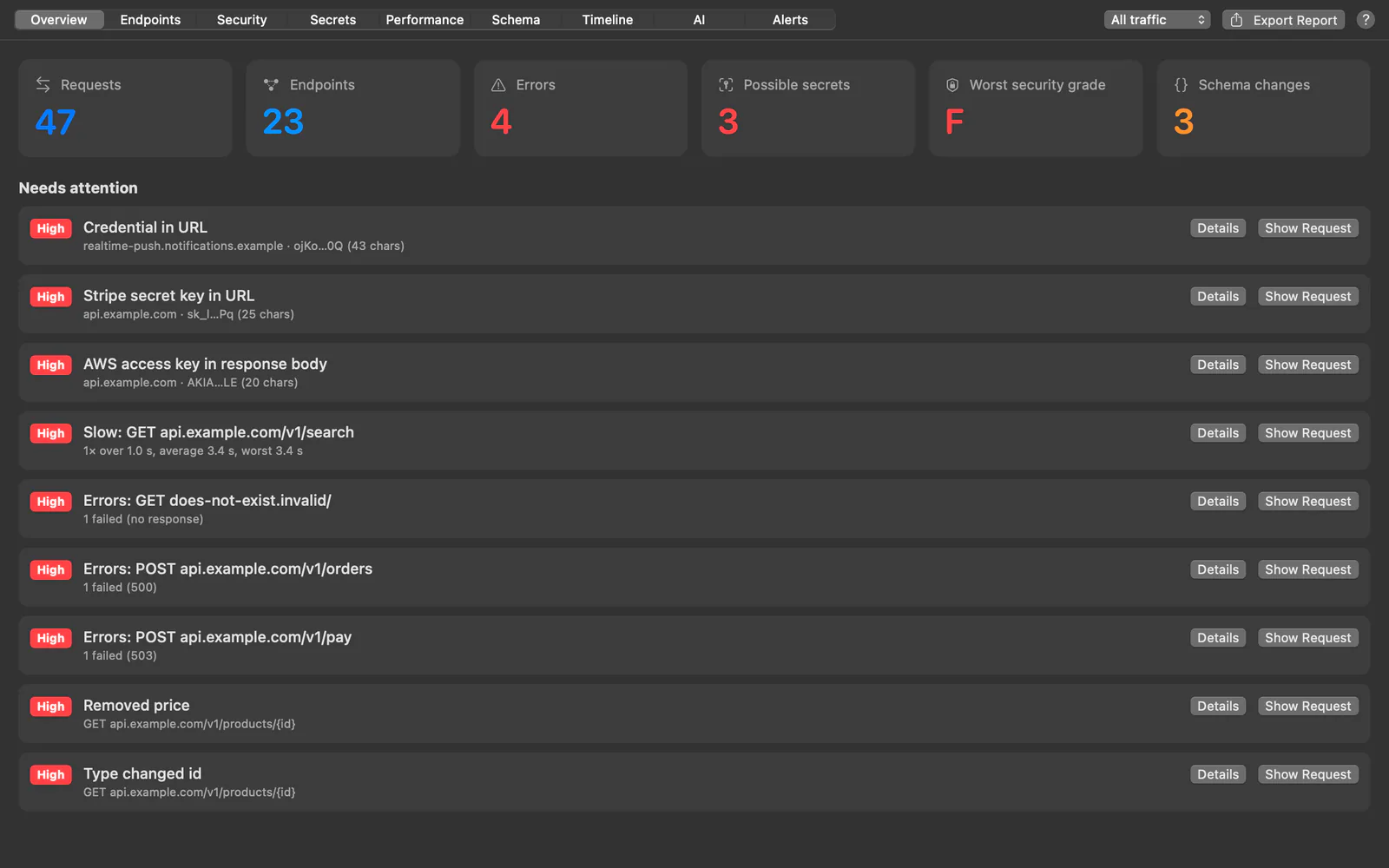
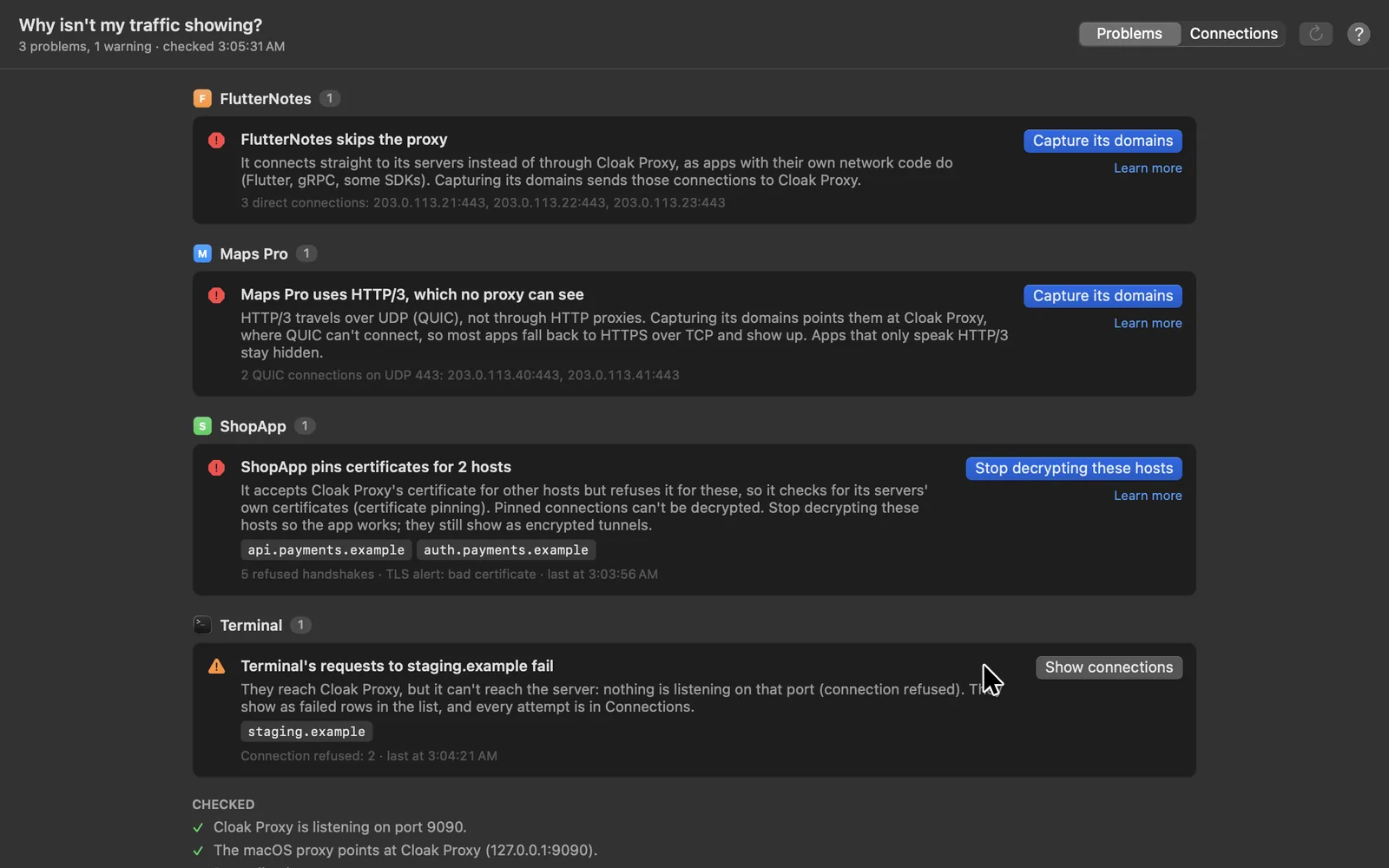
Problems, found for you
Leaked keys, slow endpoints, weak security headers and API schema changes, flagged as you browse.
Cloak Proxy
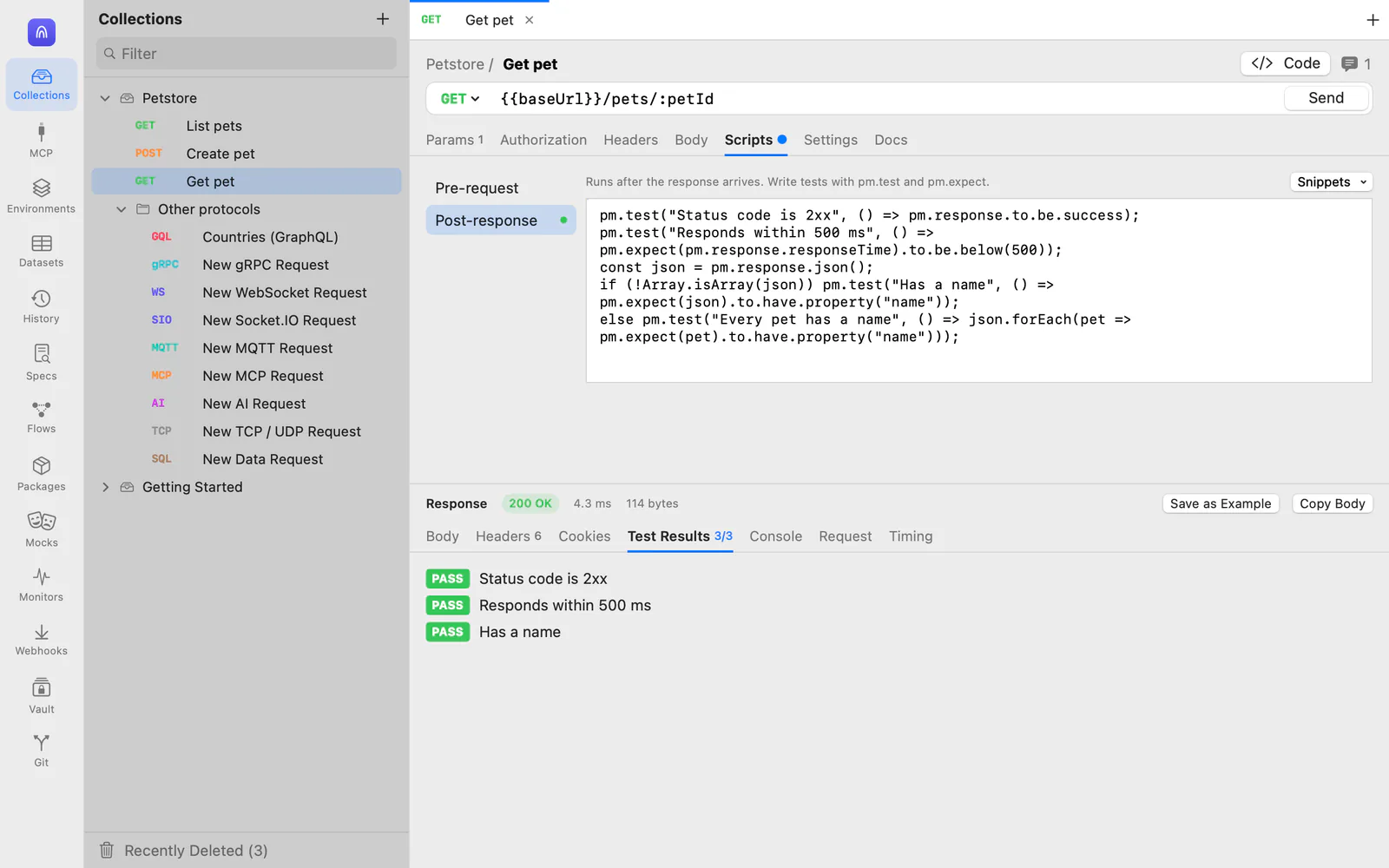
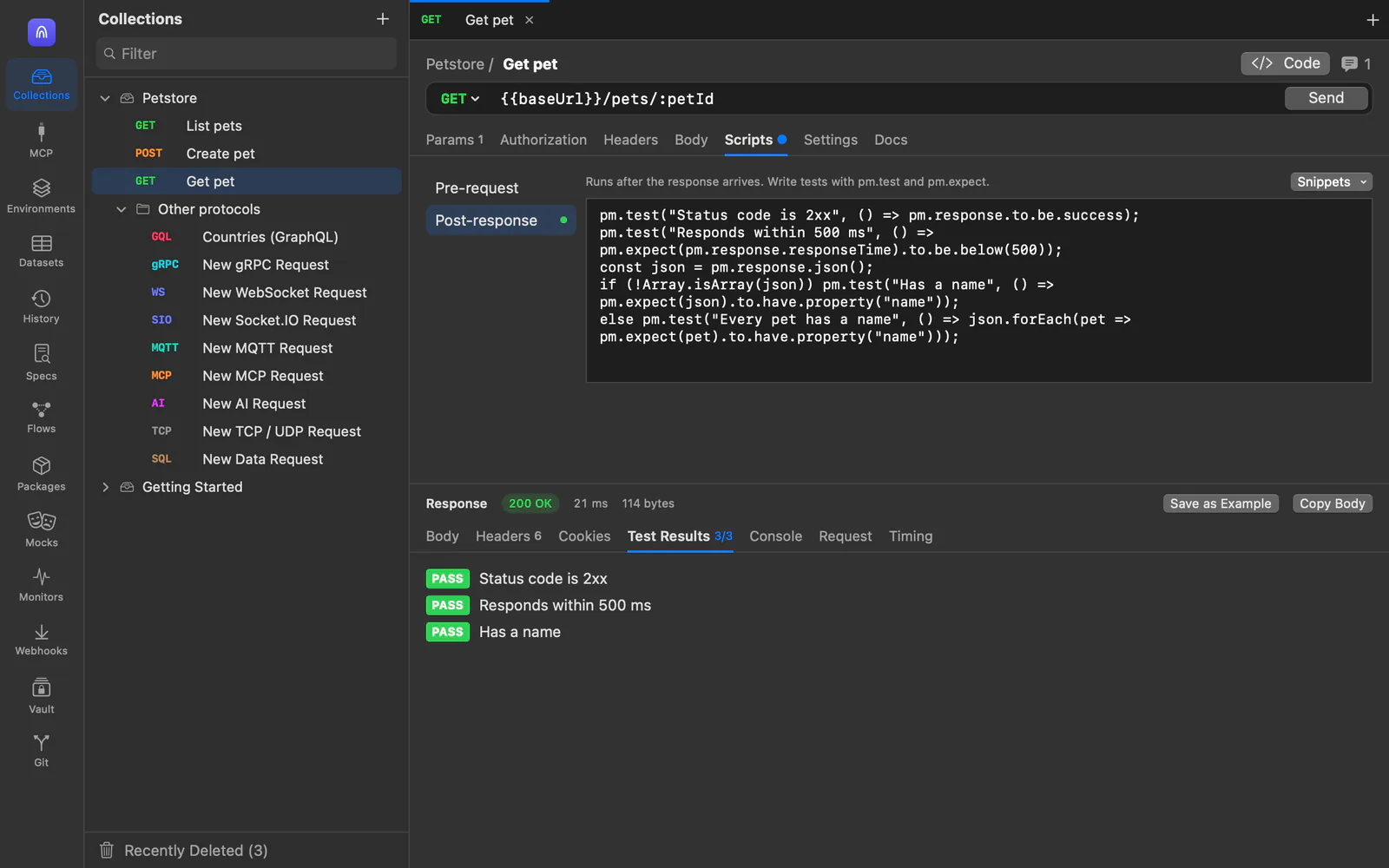
An API client, built in
Collections, environments, tests, runs, mocks and load tests, saved as plain files you can keep in Git.
And on iPad
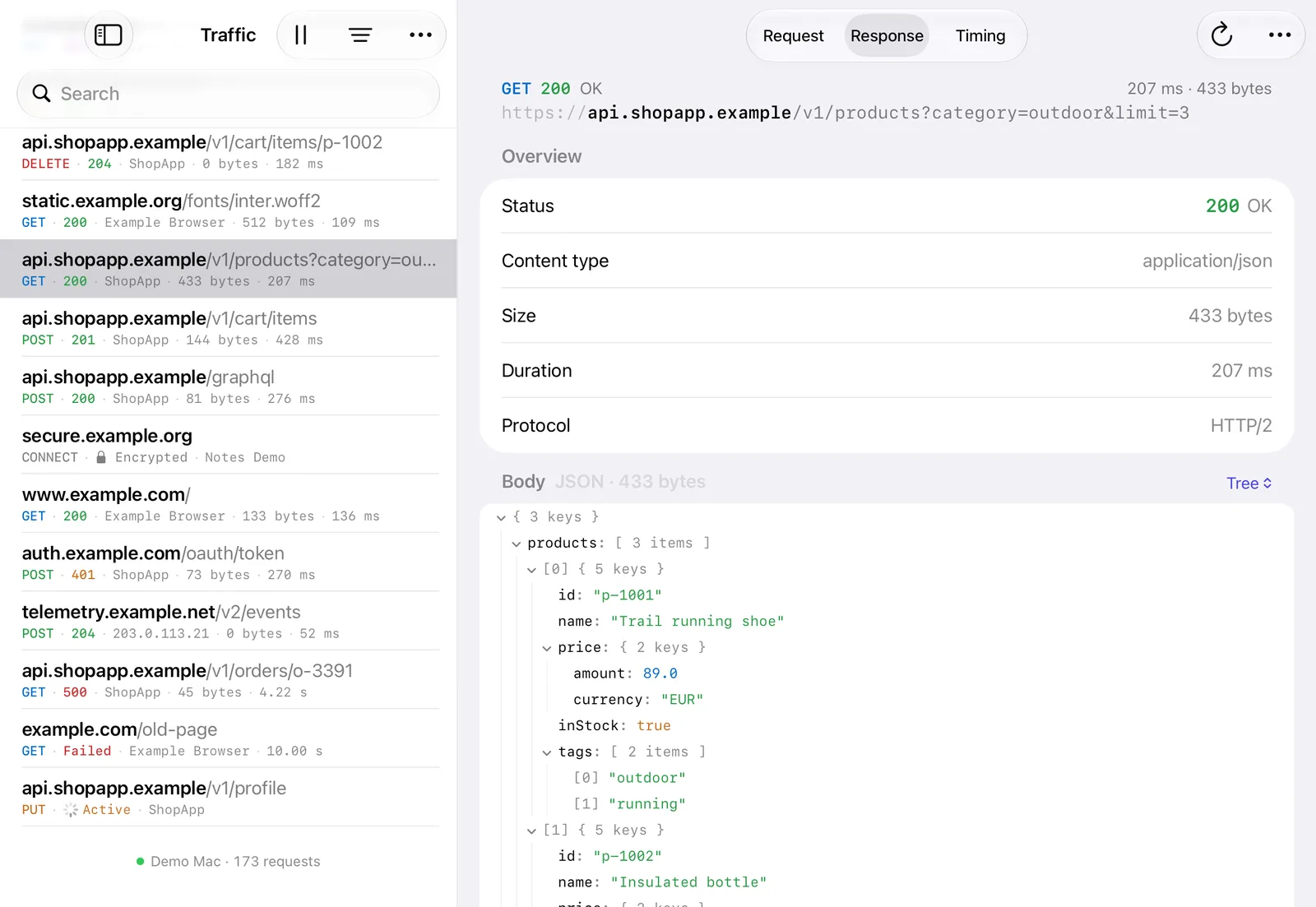
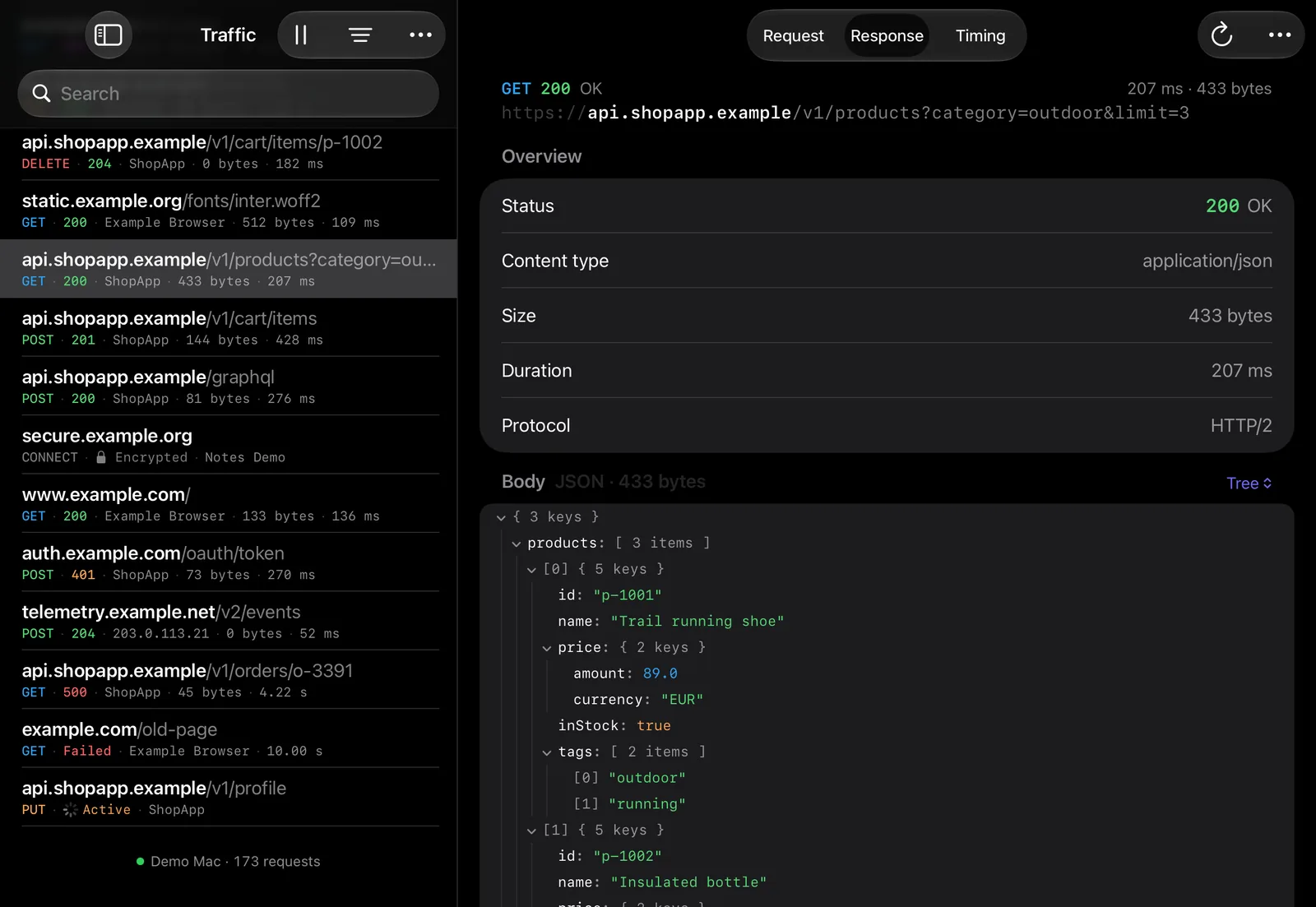
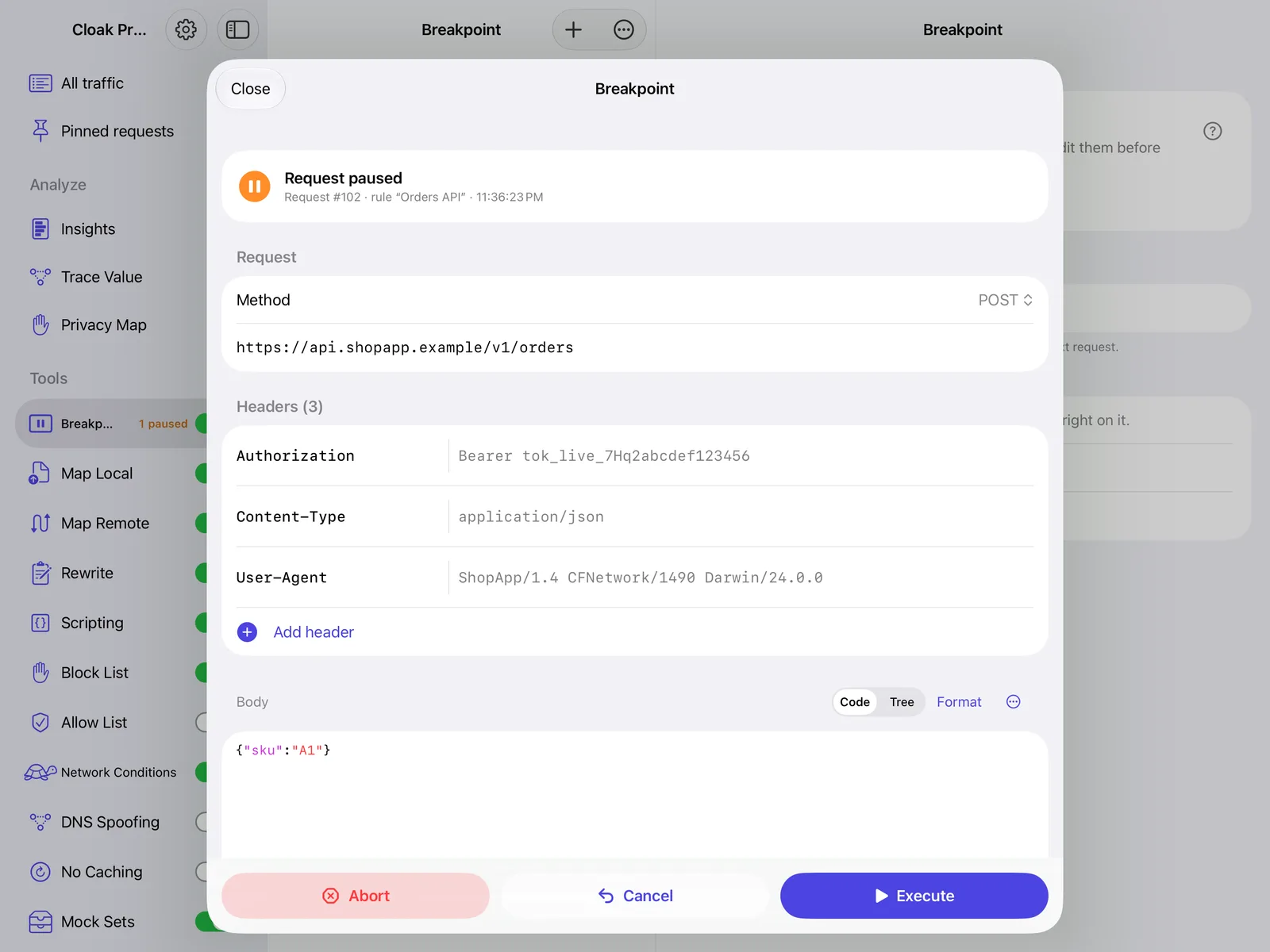
The same traffic list, inspector and tools in a touch app that captures on the iPad itself. Free on the App Store.
01 / 06
What's new
A proxy that tests, not just watches.
0.4.0 read AI traffic, turned what you captured into API tests and broke things on purpose. 0.4.1 added a query language, live sharing and a browser extension, and 0.5.0 caught the Mac apps that ignore the proxy. 0.5.1 tests the security of your own APIs, on the Mac and the Linux beta.
0.5.1Security testing for your own APIs · Mac and the Linux beta
Model calls and token streams are HTTP like everything else. Cloak Proxy reads them the way you would: tokens, cost, the prompt as a transcript, and every streamed event as it lands.
LLM InspectorNew in 0.4.0
Every token, every cent, every cache miss.
Model calls from any app or agent get an AI tab: the model, input, cached and output tokens, the estimated cost, time to first token and speed, and a bar of where the context window went.
OpenAI, Anthropic, Gemini, Ollama and OpenAI-compatible servers
The first change since the last turn: where the prompt cache stops matching
Spend by model, app and host, and a cost budget for CI
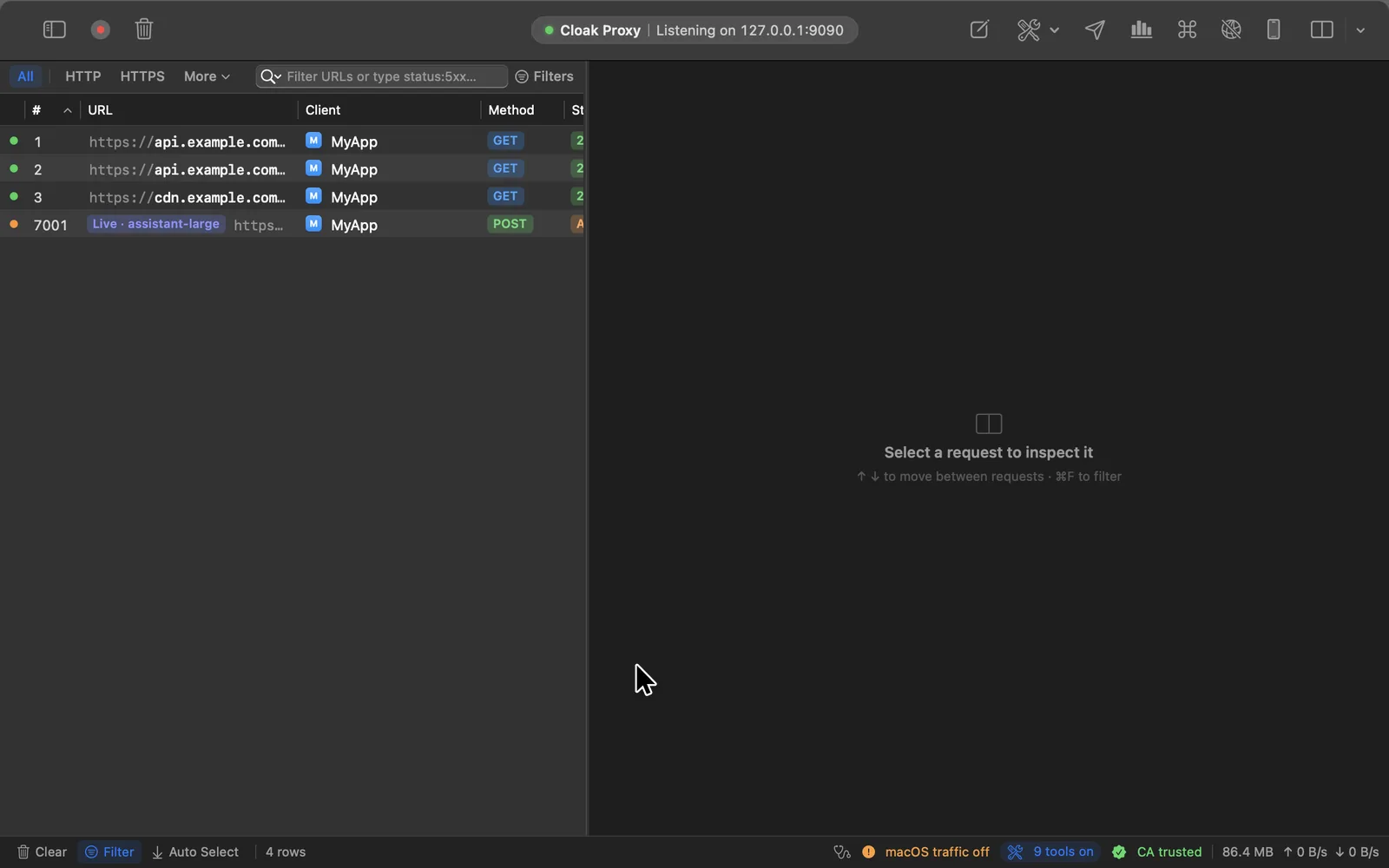
Server-Sent Events, JSON lines and long chunked bodies pass through as they arrive, so chat UIs keep typing while you watch. The Messages tab lists every event with the gap since the one before.
A timeline strip that shows a slow first token or a stalled stream
GraphQL subscriptions, @defer and @stream, operation by operation
Ended, closed by the app or broken: the list says which
Cloak Proxy is an MCP server with 154 tools. Claude Code, Codex, Cursor or VS Code can read your traffic, check costs and contracts, set up mocks and failures, and get an app's traffic flowing in the first place.
7 agent skills teach coding agents when and how to use it
Tokens, cookies, keys and passwords are redacted before they reach the model
capture_setup walks an agent through a simulator, phone, Docker or Flutter app
Runs on your Mac, and assistants ask before deleting anything
>Our support agent got slow and expensive since Friday. Find out why.
⏺cloak-proxy · llm_summary ()⎿SupportAgent · 142 calls · $6.84 · claude-sonnet-5-5Prompt cache hit rate 9% · p95 first token 2.4 s
⏺cloak-proxy · llm_calls (id: 8114)⎿First change since #8113: system prompt, at token 0“Current time: 2026-10-18 06:12:09” now opens the prompt
⏺The agent now starts its system prompt with the current time, so every turn changes the first token and nothing comes from the prompt cache. Move the timestamp after the tool definitions and the cache will match again.
>Do it, and make CI fail if a test run costs more than 50 cents.
⏺Moved the timestamp, and added a step after the end-to-end tests: cloakctl llm --session run.cloaksession --max-cost 0.50. It exits non-zero over budget.
>
$ claude mcp add cloak-proxy -- "/Applications/Cloak Proxy.app/Contents/Resources/cloakctl" mcp
$ cloakctl skills install claude codex
02 · Test your API
Test your API without writing tests.
You've already tapped through the app. Cloak Proxy turns that traffic into an authorization test, a contract check, a release diff and a test suite, and each one can fail a CI build.
Authorization matrixNew in 0.4.0
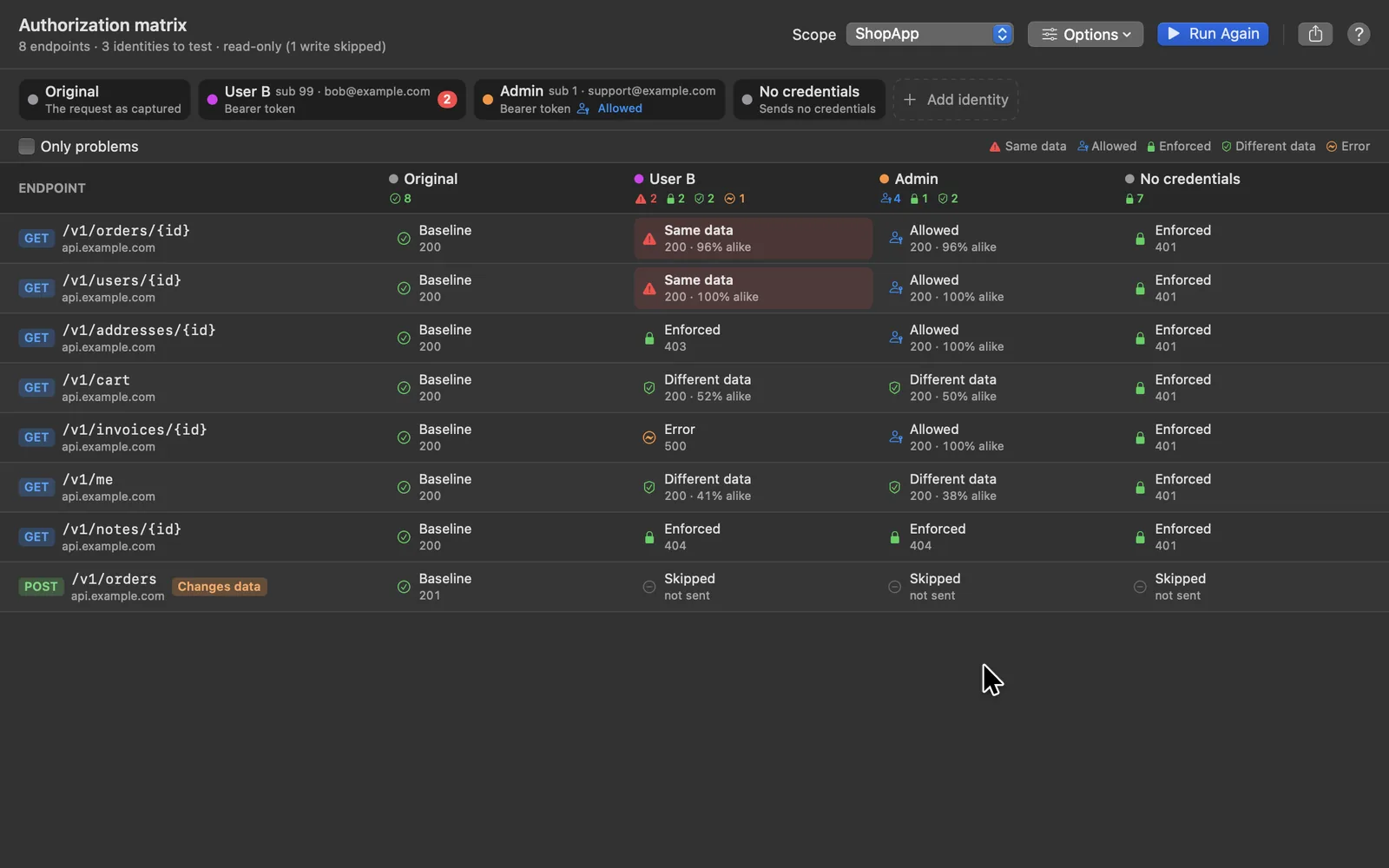
Would user B see user A's orders?
Capture a session as one user, then add others: another user's token, an admin, no credentials. Cloak Proxy replays every captured request as each one, and a response that hands the first user's data to the second stands out.
Endpoint by identity, with a verdict and how alike the bodies are
Read-only methods by default; writes only when you opt in
Admins marked as allowed, and a CI check that fails on a leak
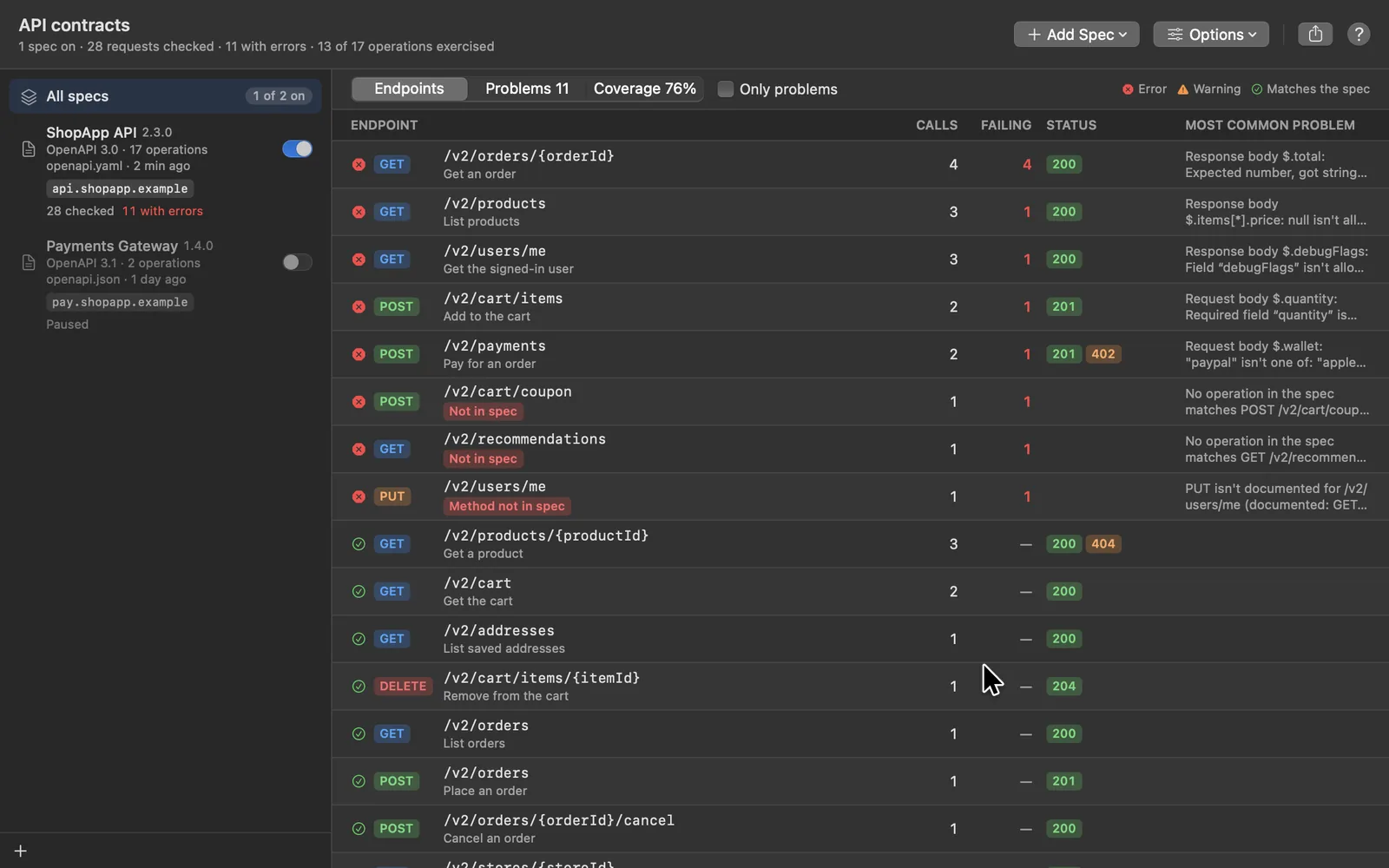
Bind a spec to your API's host and every request and response is checked as the app runs: undocumented endpoints and methods, invalid parameters, unexpected status codes, and bodies that don't match their schemas.
More about API contract checkingLess
Each problem with its JSON path, the expected and actual value
Coverage: the documented operations nobody called
No spec yet? Draft a starting one from the traffic
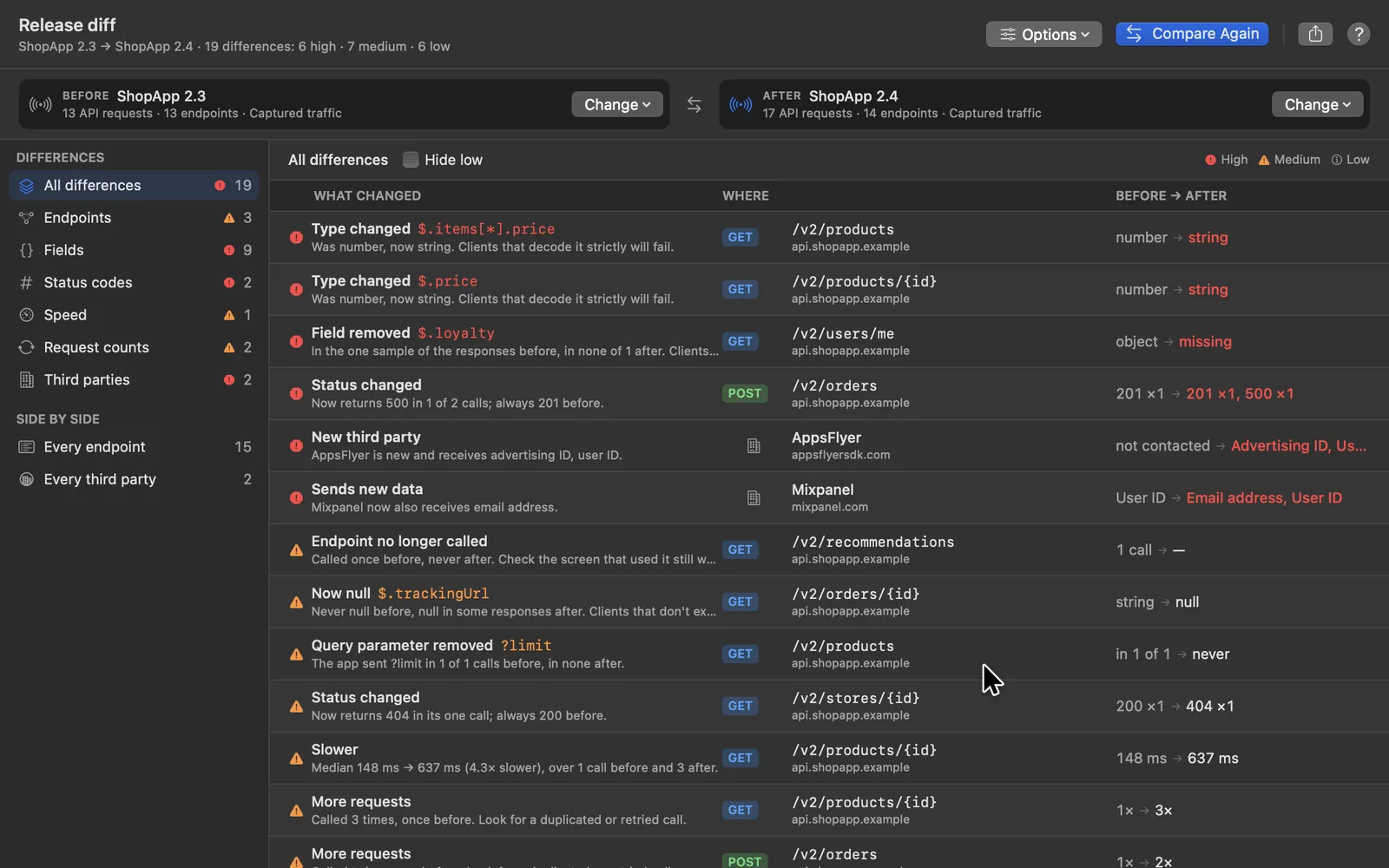
Record the same journey on two builds and compare them endpoint by endpoint: fields removed, retyped or now null, new status codes, slower calls, and third parties that now receive user data.
More about Release diffLess
Every difference ranked high, medium or low
The requests on both sides, side by side
Split one session by the app version in its User-Agent
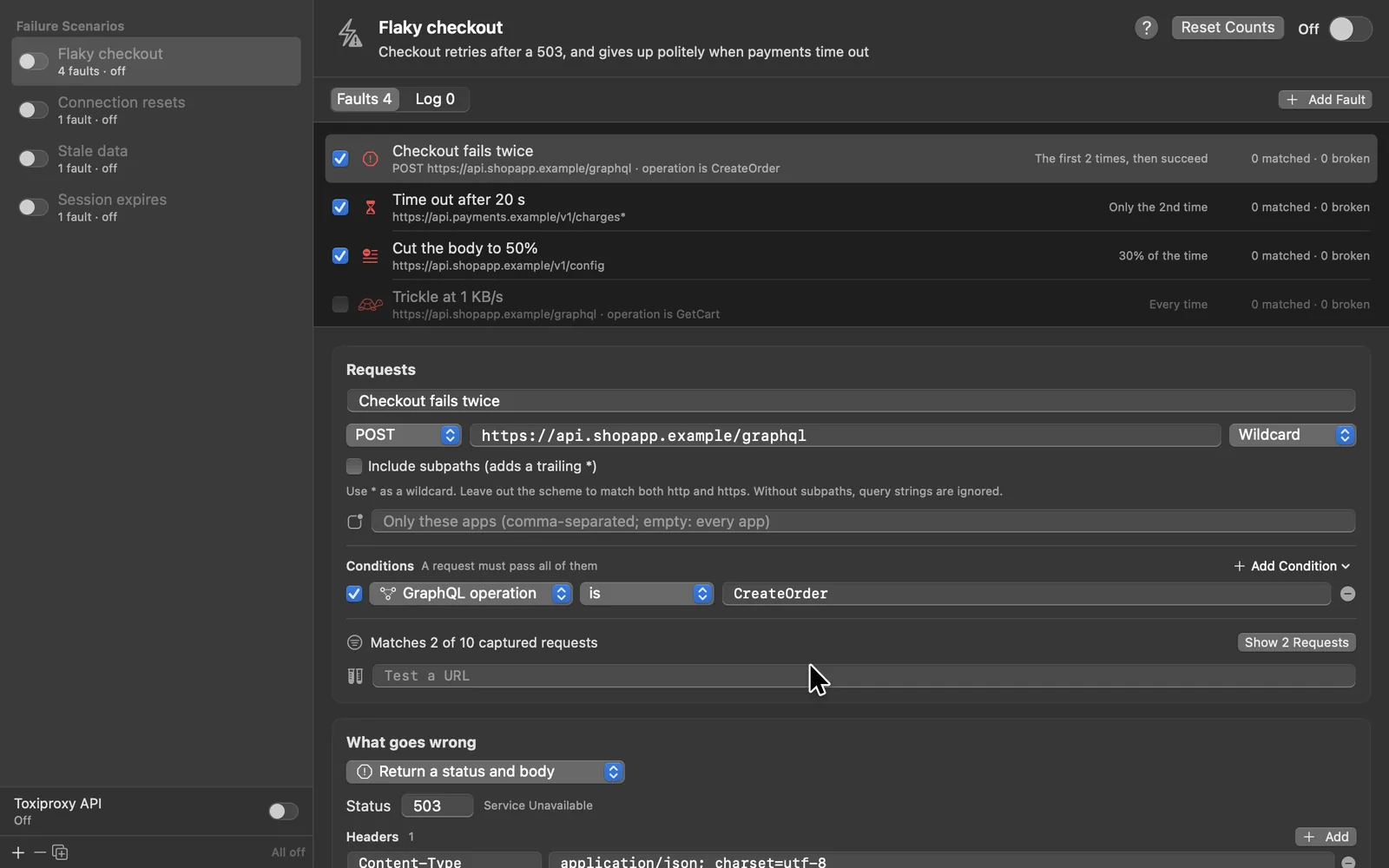
Pause a request and edit it, answer it from a file, or fail it the ways real networks do, for exactly the requests you pick, down to one GraphQL mutation. Every rule can be made from a captured request in two clicks.
Failure scenariosNew in 0.4.0
Flaky on purpose, and on schedule.
Time out, reset the connection, drop it halfway, trickle the body or serve stale data: every time, the first N times, only the Nth, or a share of the time. A scenario switches on and off as a whole, and logs what it did to each request.
Ten templates, from Flaky API to Session expires
Right-click any request and choose Simulate a Failure
A Toxiproxy-compatible API for the tests you already have
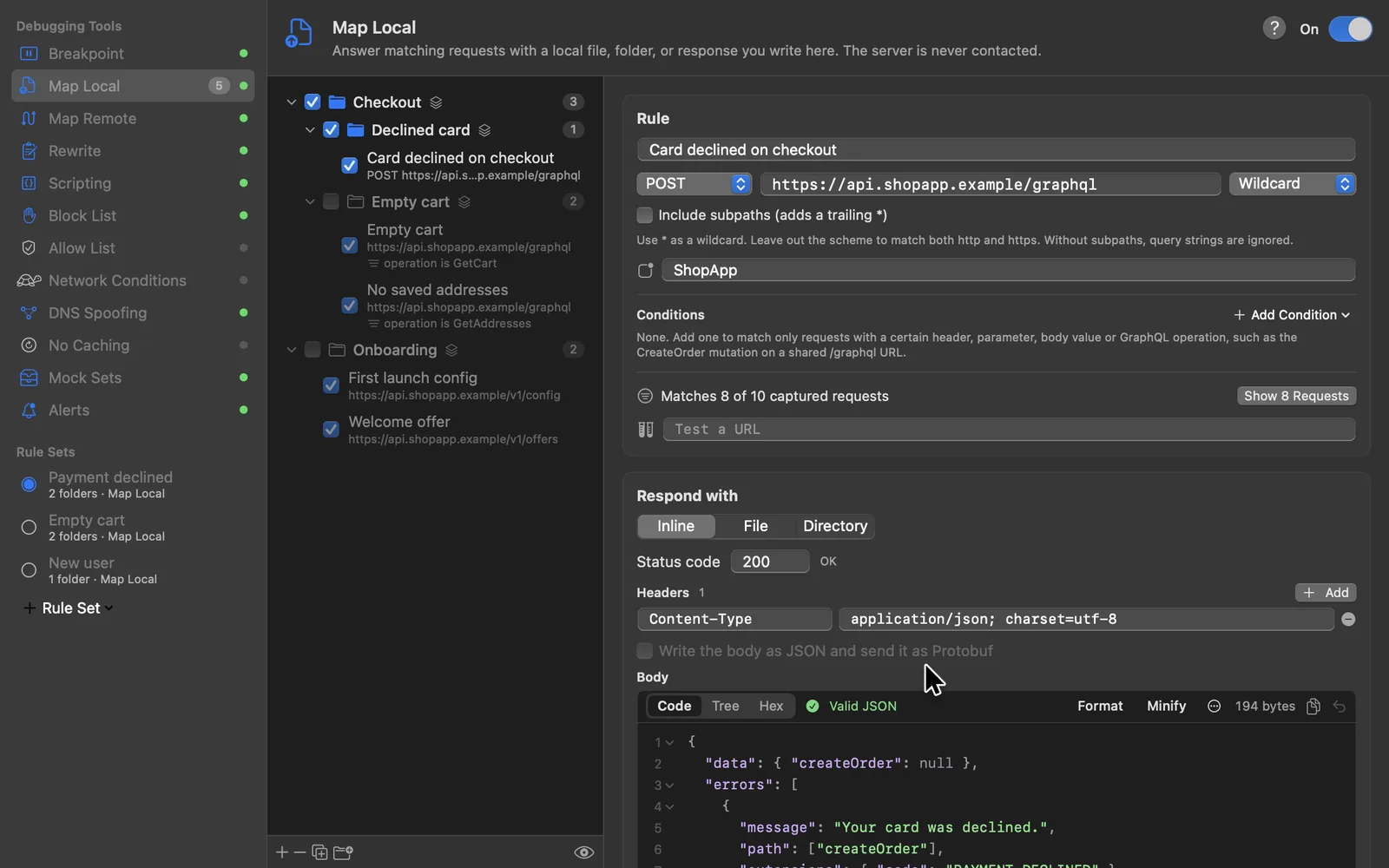
One mock for one mutation. One click for a whole scenario.
Map Local
Every rule in every tool can also require a header, a query parameter, a JSON body value or a GraphQL operation. Group rules in folders, save them as rule sets like Payment declined, and switch between them.
More about Map LocalLess
Map Local answers from a file, a folder or a response you write
A live count of the captured requests a rule matches
Share a folder or a set as a file, or switch sets from CI
For the days the problem isn't in the request: slow the network, cut off a host, send a domain to another server, or replay a whole session with no network at all. Each one is a rule you can narrow to chosen apps, headers or GraphQL operations.
Turn failing requests into a bug report, follow a request into your backend's traces, edit Protobuf as JSON, and capture any browser, container or app in one click.
Report BugNew in 0.4.0
A bug report that reproduces itself.
Pick the failing requests, or the last few minutes of an app, and get a bundle: a summary with the failures first, a redacted HAR and session, cURL commands, and a flow that replays it all in the API client.
Each failure with its trace link, contract errors and Sentry report
File it in GitHub, Jira or Linear with your own token
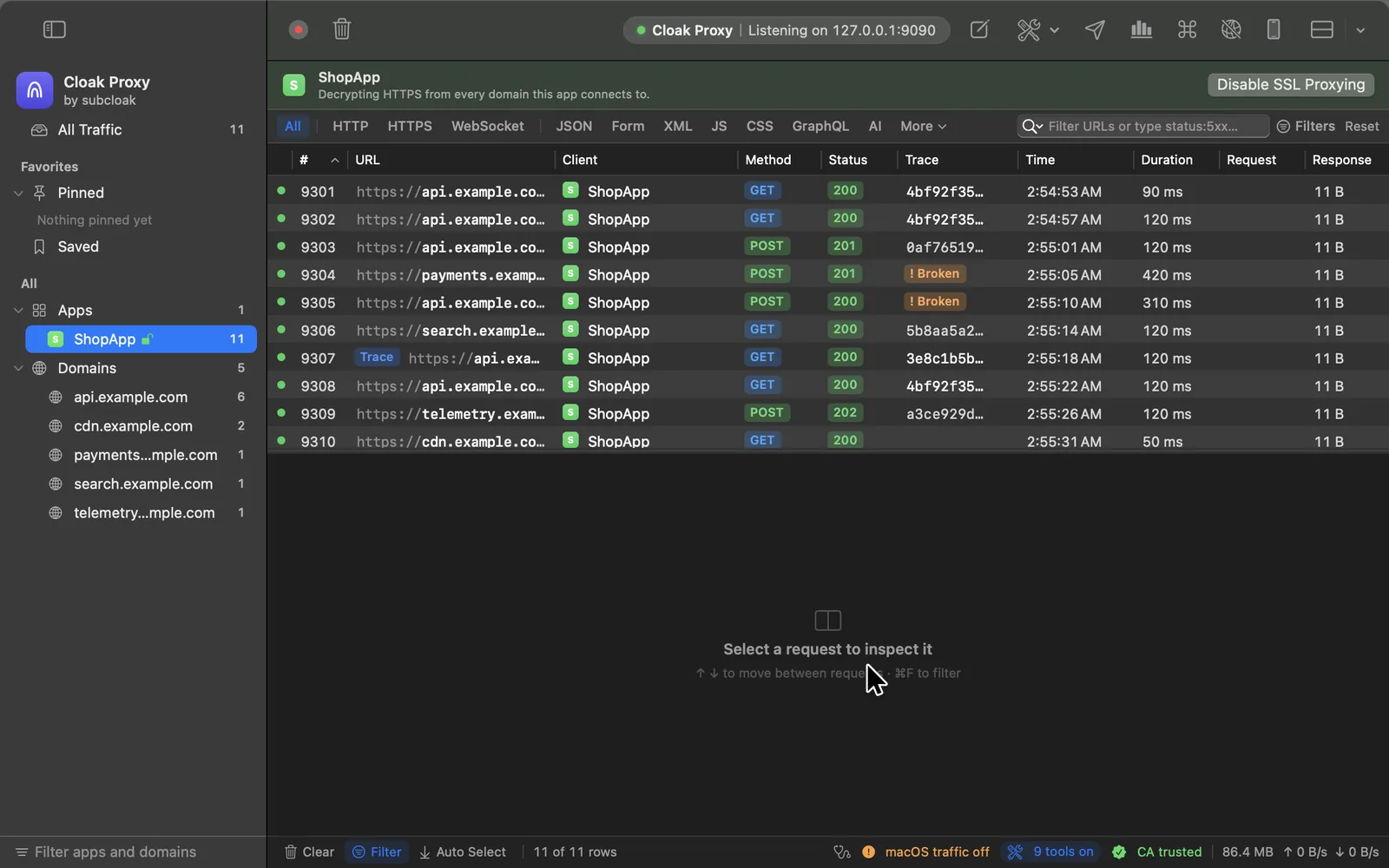
Cloak Proxy reads W3C traceparent, B3, Jaeger, Datadog, X-Ray, Cloud Trace and Sentry headers on every request, and opens the trace in Jaeger, Honeycomb, Datadog, Grafana Tempo or your own backend.
More about Distributed tracingLess
Flags requests where propagation broke, and says why
The other captured requests in the same trace
Adds a sampled traceparent to the hosts you choose
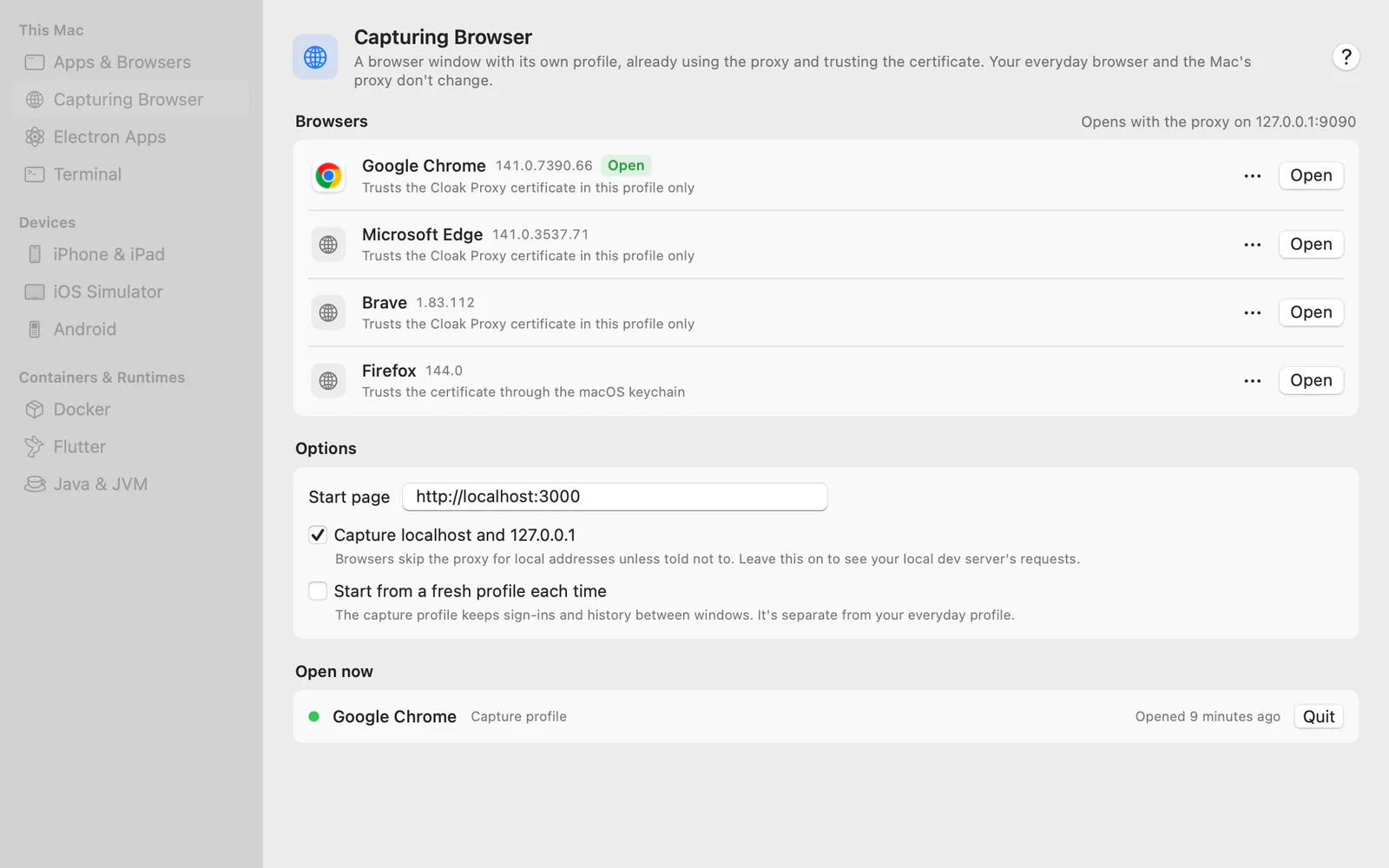
A browser in its own profile, an Electron app, a Docker Compose stack, a Flutter build or a phone. Cloak Proxy sets up the proxy and the certificate for each, step by step.
A proxy shows you requests. This one connects them.
Paste an order ID, a token or an email. Cloak Proxy finds the response it came from and every request that sent it on, then replays the chain with fresh values or shows which companies received it.
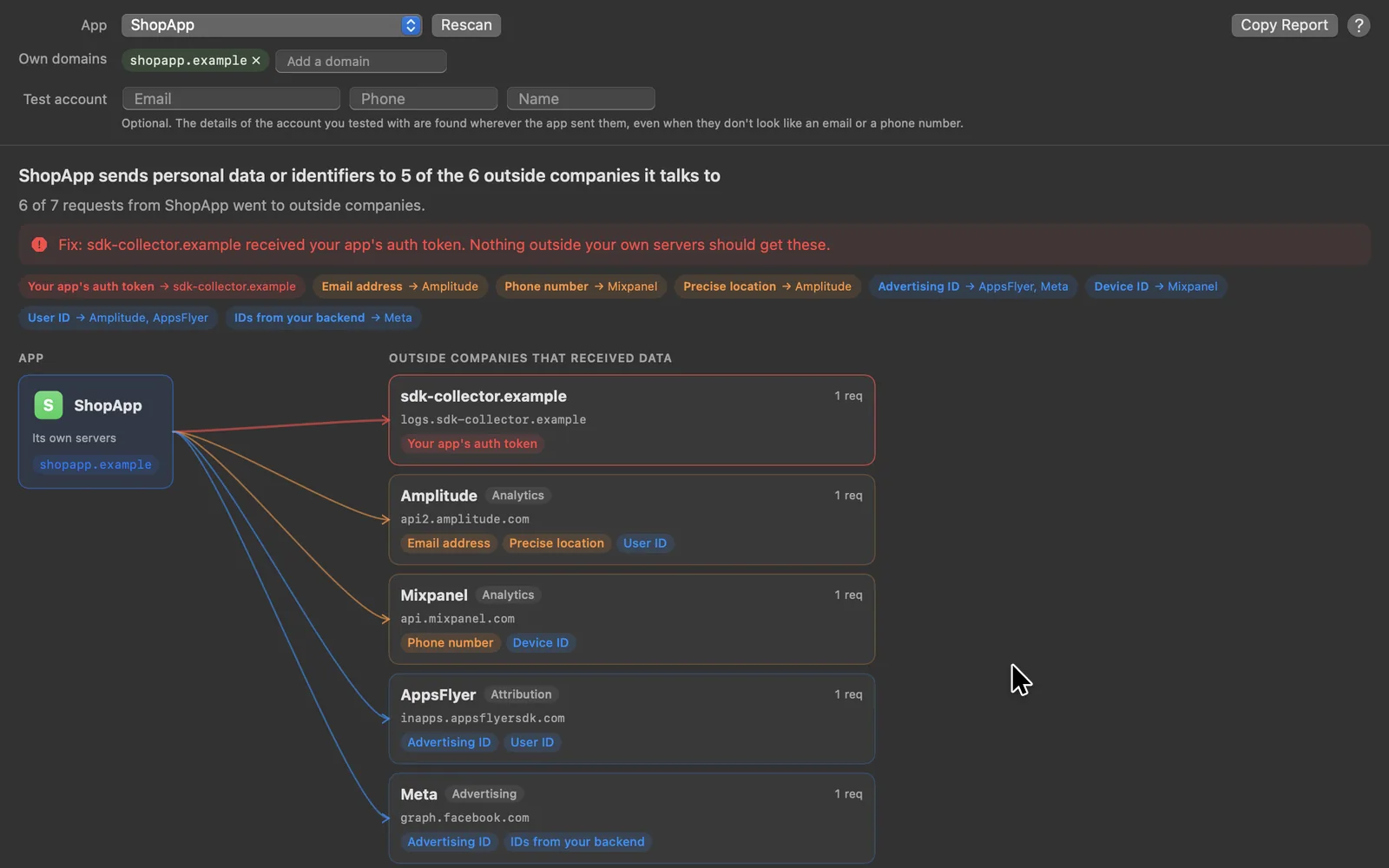
For one app, every outside company it talks to and what each one receives: emails, locations, device IDs, even the app's own login tokens. Redrawn in 0.4.0 as a map from the app to each company.
Analytics, attribution, advertising and crash reporting
The iPhone and iPad app captures on the device itself, and the Linux beta has nearly every Mac window. A phone or another computer can watch your Mac's traffic in a browser, your own app can send its requests straight in.
A .deb, an RPM, an AppImage and a tarball for amd64 and arm64, with the Mac app's interface in a native WebKitGTK window and the same engine underneath. Since 0.4.1 nearly every Mac window is there too. It's still a beta: here's what's in it, and what isn't yet.
.deb for Debian and Ubuntu, .rpm for Fedora and RHEL, AppImage or tarball for any distribution · amd64 and arm64 · needs WebKitGTK 6.0
Cloak Proxy
In the beta
Capture and HTTPS decryption, with the GNOME, KDE and terminal proxy set for you and restored on quit
The traffic list and inspector, the query bar with highlight and extract rules, Search Everything and Trace Value
All 12 debugging tools, breakpoints, Compose and Repeat, with rule conditions, folders and sets
Insights, Privacy Map, Authorization Matrix, API Contracts, Release Diff, Failure Scenarios, Make Tests and Compare Environments
Device and runtime setup, the Doctor, and DNS capture for apps that skip the proxy (with the .deb or the RPM)
The whole API client, Report Bug, live sharing, the browser extension, cloakctl and the MCP server
Still to come
Windows for 0.5.1's security testing tools; for now they work through cloakctl and the MCP server
The web companion; live sharing already shows your traffic in another browser
A Flatpak package
Testing on real desktops: KDE's proxy switching, and the browser extension in a real browser
Windows comes after. Any Linux machine can also send its traffic through Cloak Proxy on a Mac.
Now on the App Store
Cloak Proxy, on iPhone and iPad.
The proxy runs on the device and shows the requests your iPhone or iPad's apps make: the traffic list and inspector, Breakpoint, Map Local and the other debugging tools, Insights, Trace Value, Privacy Map and the API client. Try it in seconds with sample traffic, no setup needed.
Free, no account · iOS 17 or later · captures in the background with VPN capture
Off the Mac
Watch from any screen. Capture from inside your app.
See what your Mac captures in a browser on your phone while you tap through an app, or send your own app's requests to Cloak Proxy with no proxy settings at all.
Pair Safari or Chrome on a phone, a tablet or another computer once, and watch requests arrive as your Mac captures them. Nothing to install on the other device.
Headers, bodies and timings for every request, live
Pause recording and turn tools on or off from the page
Pair with a QR code or a 6-digit code; remove a browser any time
POSTpay.example.com/v1/chargesPinned host, still visible201
GETapi.example.com/v1/orders?limit=20200
In-app SDK
Your own app. No proxy, no certificate.
Add CloakProxyKit to the debug build of your iOS or macOS app and call start(). Its URLSession requests show up under the app's name, even from hosts that pin their certificates.
Team workspaces, with live updates and no Git needed
Shared rule sets and mock sets
Roles and per-workspace permissions
Secrets vault with per-person access, end-to-end encrypted
Comments and @mentions
Team session library with tags
Review and approve changes to protected rule and mock sets
Team Findings and Report Bug to the team
CI recordings from cloakctl, and CI access to team sets
Live pair debugging
Shared monitors with Slack, PagerDuty and Opsgenie alerts* (runs on our servers, not end-to-end)
Hosted team mocks* (runs on our servers, not end-to-end)
Shared MCP servers and agent setups (never keys)
Admin policies
1-year audit log
90-day version history
SSO and SCIM at no extra charge
Onboarding call (10+ seats, yearly)
First support reply within 1 business day
Cloak Proxy itself is free forever and never needs an account. Cloud is optional and end-to-end encrypted. Personal Cloud: Subcloak can't read your data, even if our servers are breached.Team Cloud: Subcloak can't read your team's data, except what you publish to monitors and hosted mocks (*), unless an admin turns on automatic approval of new Macs after SSO.
* Not end-to-end: Team Cloud's hosted mocks and monitors run on our servers. Personal Cloud is bought in the app (Settings › Cloud); Team Cloud in the Subcloak console. Billed by Polar, our merchant of record. US dollars, plus local tax.
One email when it ships or opens, nothing else. Privacy
Yes, for life. Every feature on this page is free, with no trial, no licence key and no account, and that won't change. For people who want to sync and share through our servers, there are two optional paid cloud plans: Personal Cloud ($3 a month or $25 a year, with a 30-day refund, no questions asked) and Team Cloud ($5 a seat a month, bought in the console). The free app never needs an account, and nothing that's free today will move into them. Subcloak builds security apps and uses them to test other companies' apps: Cloak Proxy is the tool behind every Proof Pentest, and that testing work pays for it. You can leave your email when you download to hear about new releases, but you don't have to.
How does it compare with Charles, Proxyman, HTTP Toolkit or mitmproxy?
They're all good tools, and some run on Windows or are open source. Cloak Proxy is free with nothing behind a paywall, and adds an API client with collections, a full MCP server, an LLM Inspector and API testing from captured traffic. See the side-by-side comparison, with sources.
Which Macs does it run on?
Any Mac with macOS 14 Sonoma or later, Apple silicon or Intel. One download runs natively on both.
Does it run on Linux or Windows?
Linux, yes, as a beta: a .deb, an RPM, an AppImage or a tarball, for amd64 and arm64, with the Mac app's interface in a native WebKitGTK window. Since 0.4.1 nearly everything on the Mac is in it: capture and decryption, the query bar, the debugging tools, the testing windows, device setup and the Doctor, the whole API client, live sharing, the browser extension, cloakctl and the MCP server. 0.5.1's security testing tools work there through cloakctl and the MCP server for now. Still to come are the web companion, a Flatpak package, and testing on real KDE desktops; see what's in it. For Windows, join the waitlist and we'll email you once when it's ready.
How do I check the download is genuine?
After the download starts, the page shows the file's SHA-256. On a Mac, run shasum -a 256 ~/Downloads/Cloak-Proxy.dmg in Terminal; on Linux, sha256sum with the package's name. Compare the two. Only download Cloak Proxy from subcloak.com.
Can I deploy it to a team's Macs?
Yes. Download the installer package for teams, Cloak-Proxy.pkg, from the download form. It's signed with a Developer ID Installer certificate and notarized by Apple, for your device management (MDM) service or sudo installer, and a sample configuration profile pre-approves App Capture's network extension. See Deploy to a team's Macs.
Is it notarized by Apple?
Yes. Cloak Proxy is signed with a Developer ID and notarized by Apple, so it opens like any other app: the first time, macOS only asks whether you want to open an app downloaded from the internet.
Does my traffic leave my Mac?
No. Cloak Proxy runs entirely on your computer, needs no account and has no telemetry, and your traffic never leaves your computer unless you send it. Captured requests stay there unless you export them, file a bug report, publish one as a Gist, or send them to an AI assistant you've connected yourself. Bug reports, Gists and AI assistants get tokens, cookies, keys and passwords replaced with REDACTED by default, and exports can do the same. Agent Mode and AI requests use your own key and, from version 0.4.2, ask before they first send anything to a provider. The LLM Inspector's costs come from a price list on your Mac. The only thing that contacts Subcloak is the optional update check. The cloud plans are an optional paid add-on, off unless you turn them on. What they sync and share is end-to-end encrypted. Team Cloud's hosted mocks and monitors run on our servers, where Subcloak can read them, and are labelled as such. See the privacy policy.
Is the authorization matrix safe to run?
It replays captured requests as the identities you add, straight to the server. Only read-only methods (GET, HEAD, OPTIONS) run unless you opt in to writes, and the replays never touch your traffic list or rules. Run it against apps and servers you're allowed to test, ideally staging with test accounts.
Is it safe to install its certificate?
Cloak Proxy creates its own root certificate, unique to your install, and adds it to your login keychain only when you click Install & Trust (macOS asks for your password). You can remove it or regenerate it from Settings at any time, or use your own CA. Apple's own services, such as push notifications and Apple Account sign-in, are never decrypted.
What about apps with certificate pinning?
Apps that pin their certificates refuse any certificate but their own, so no proxy can decrypt them without changing the app. Leave SSL Proxying off for those hosts and their traffic passes through as normal tunnels, so the app keeps working and you still see which hosts it talks to. For your own iOS or macOS app, the in-app SDK records requests inside the app, so pinned hosts show up too.
Want it used on your app? We test with Cloak Proxy, then a person proves every finding and signs the report.Also from Subcloak: Cloak Watch, free supply-chain checks for your Mac.
Stop guessing what the app sent.
Download Cloak Proxy 0.7.4 free: one disk image for Apple silicon and Intel, macOS 14 Sonoma or later. Or try the Linux beta.
2Open Cloak Proxy from your apps, then Device Setup › Use the System Proxy. It points GNOME’s or KDE’s proxy at itself and puts your setting back when it quits.
3Trust the certificate in Settings › Certificate to decrypt HTTPS: the system store, and Chrome's and Firefox's own.
Check the file (optional): in Terminal, this should print the same SHA-256.