 Cloak Proxyfor iPhone and iPad · 1.1
Debug your apps' HTTPS traffic, right on your iPhone or iPad.
The proxy runs on the device, in the background too. Watch every request your apps make, then pause, edit, mock and replay them, with an API client built in. Free, with no account.
Free · iOS 17 or later · no ads, tracking or in-app purchases
01 · Capture
Set up in minutes. The guide checks each step.
Tap Capture in the background and follow the guide. It explains, installs and checks everything, and shows the Settings screens to tap through.
- 1
Download the profile
Cloak Proxy explains what a root certificate allows first. The certificate is made on your device and its private key never leaves it.
- 2
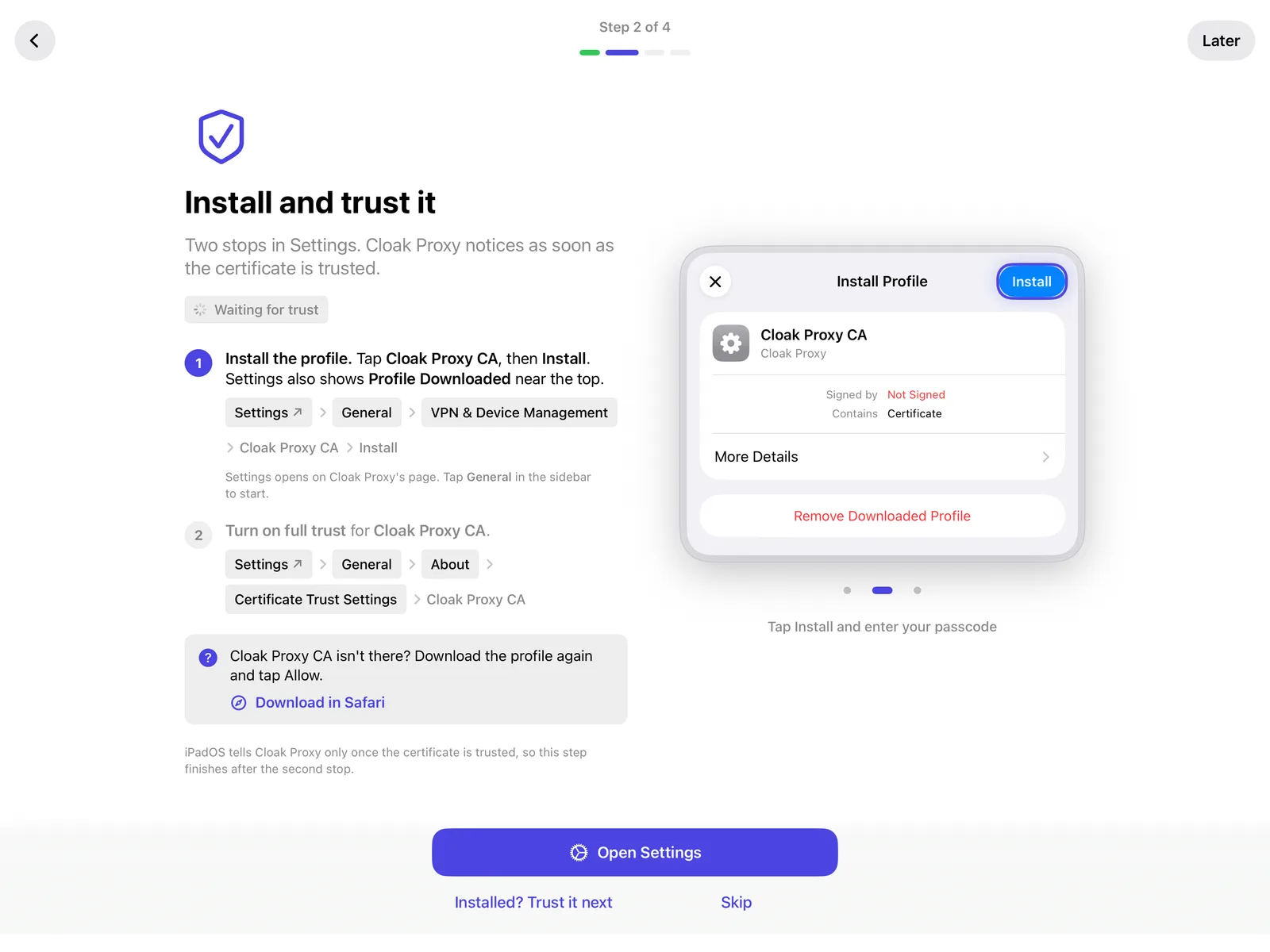
Install and trust it
The guide shows each Settings screen to tap through, with drawings, and notices when you're done.
- 3
Turn on VPN capture
One tap, and iOS asks to allow it once. It keeps capturing while you use other apps. Or set the Wi‑Fi proxy by hand instead.
- 4
Test it
The guide opens example.com and checks that its request arrives. Then pick which hosts to decrypt.
02 · Inspect
Every request, decrypted and searchable.
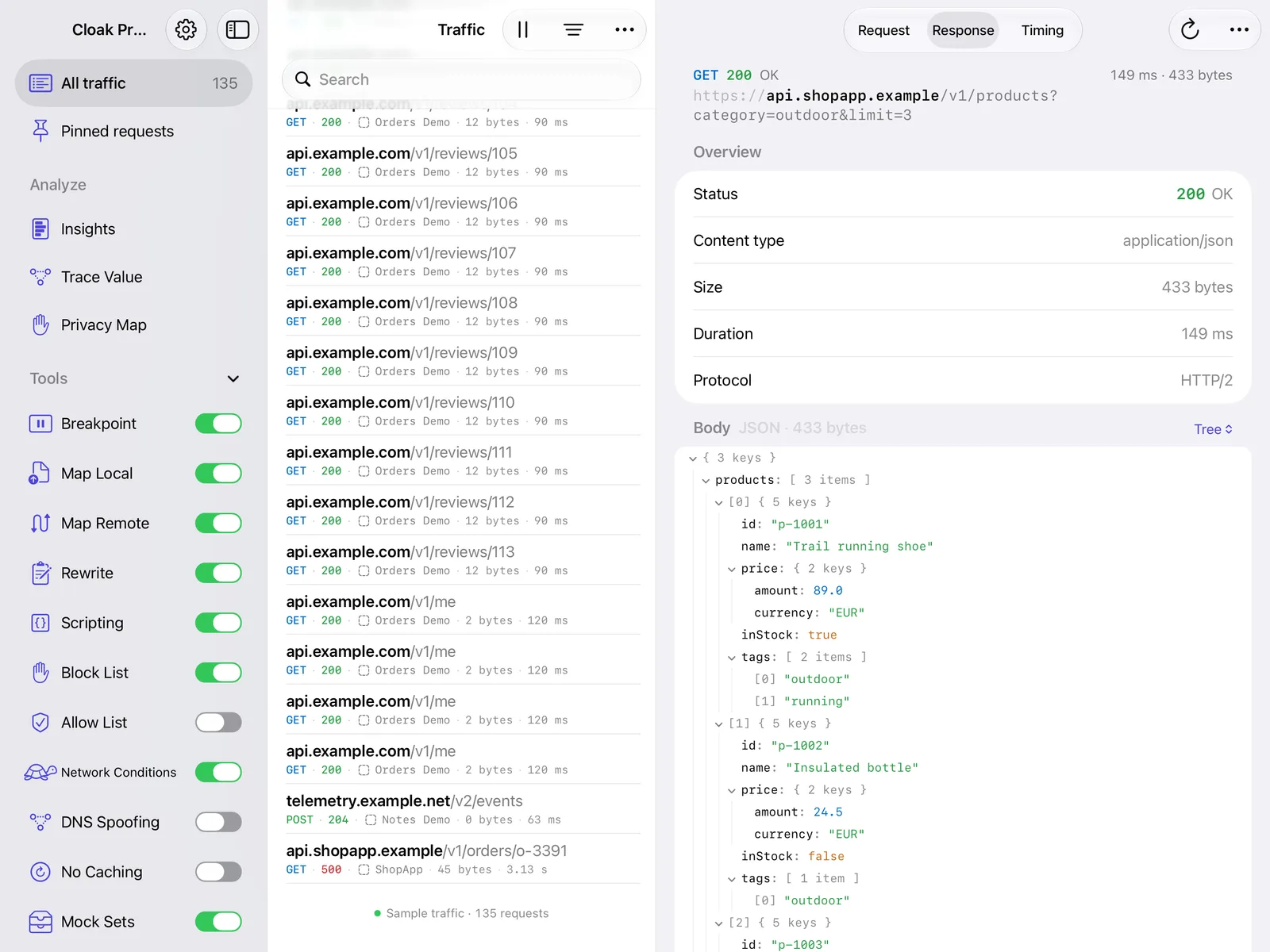
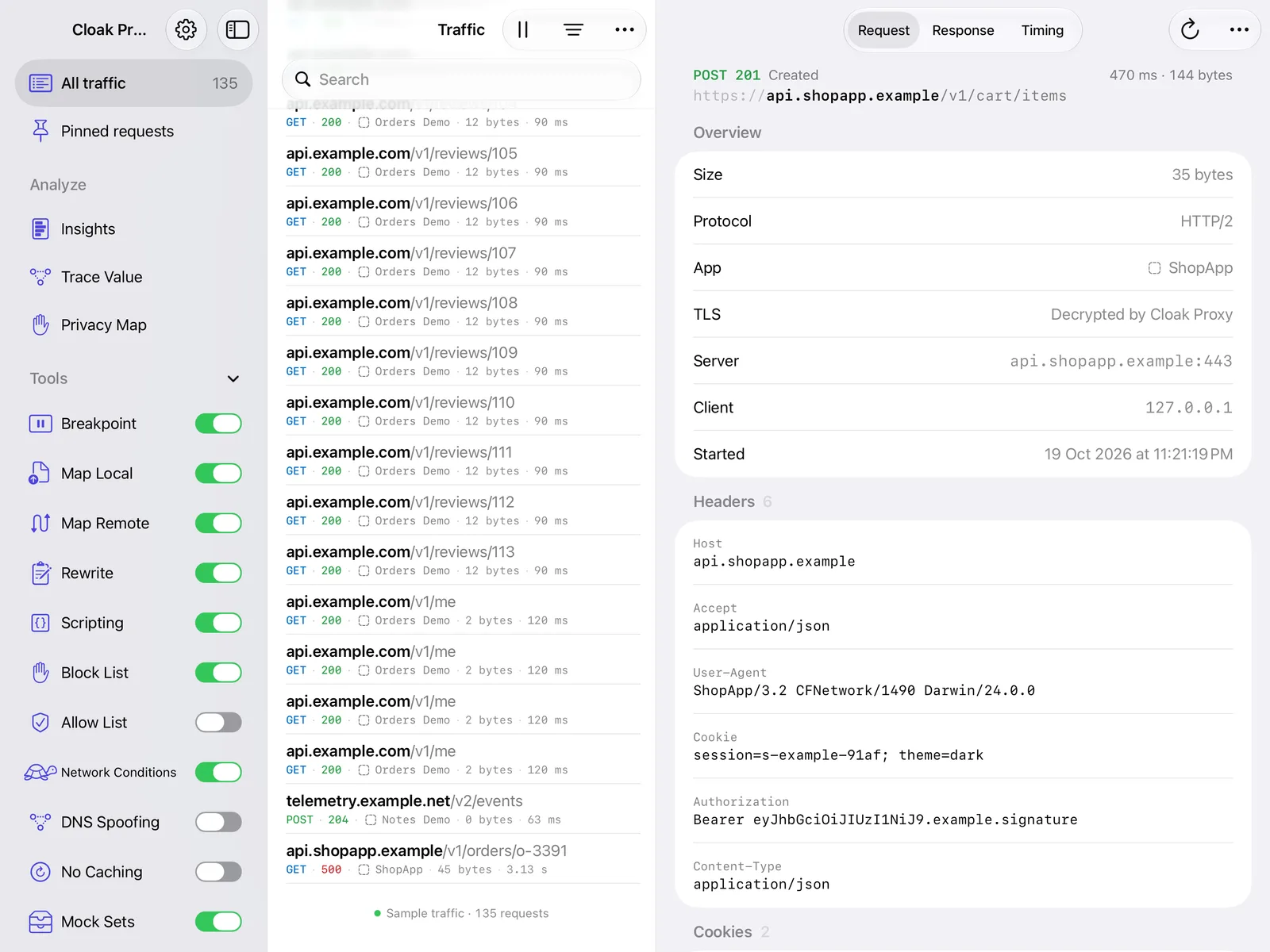
The same traffic list and inspector as on the Mac, rebuilt for touch: swipe a row to repeat or pin it, long-press for everything else, and use the keyboard shortcuts when a keyboard is attached.
A live traffic list
Grouped by host, app and device, with method, status, size and timing.
Search everything
URLs, headers and bodies at once, with filters you can save.
Request, response, timing
A JSON tree, images, forms, cookies and headers for every call.
Decrypt only what you choose
Other hosts pass through encrypted. Long-press a request to decrypt its host.
Compare and export
Compare two requests, copy as cURL, export HAR, open HAR and .chlsj sessions.
Sample traffic
Try every feature with example requests from fictional apps. Nothing is saved.
03 · Debugging tools
Pause it, mock it, change it.
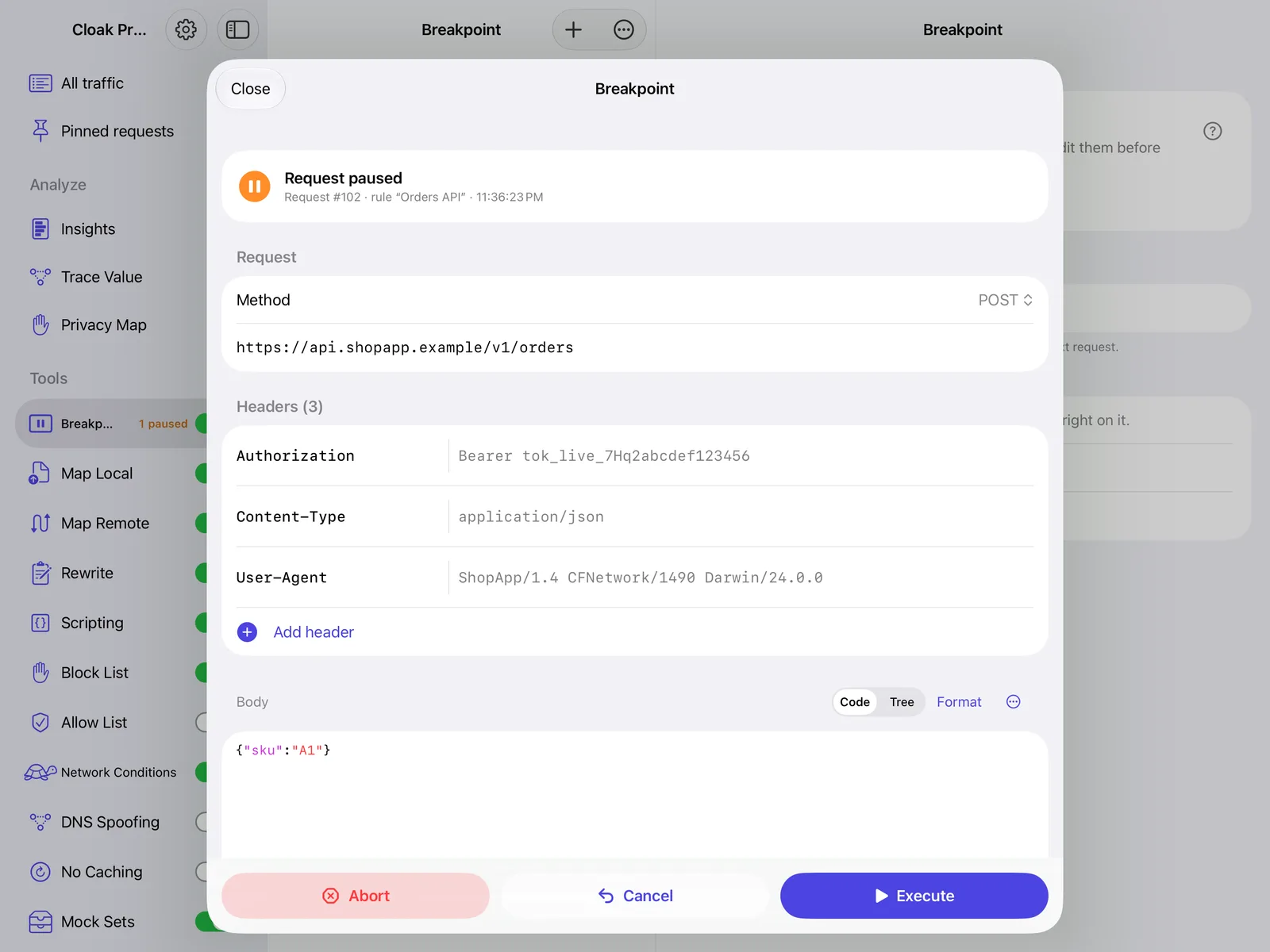
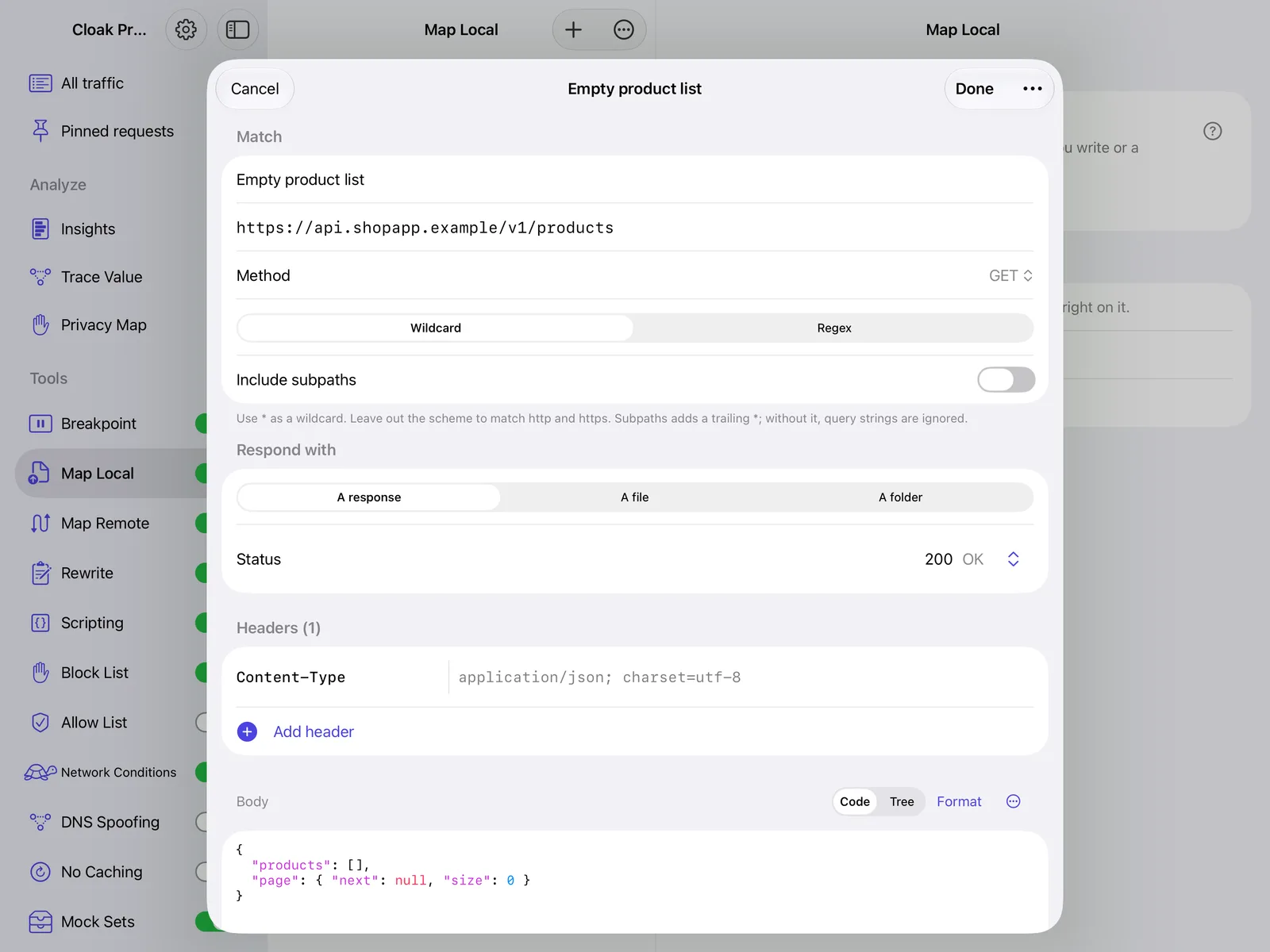
Pause a request and edit it before it continues, answer it with your own response, send it to staging instead, or slow it down to test a bad connection.
- Breakpoint
- Map Local
- Map Remote
- Rewrite
- Scripting
- Block List
- Allow List
- Network Conditions
- DNS Spoofing
- No Caching
- Mock Sets
- Alerts
04 · Understand
Problems found for you. Data followed for you.
Cloak Proxy reads the traffic as it arrives and points out what's worth a look.
Insights
Endpoints, errors, slow calls, security headers, secrets sent in the clear, and the shape of each API.
Trace Value
Follow a token or ID through every request that uses it, from the response it came from.
Privacy Map
Which hosts each app talks to, and what it sends them.
Replayable flows
Turn a sequence of captured requests into a flow you can run again.
05 · API client
An API client, built in.
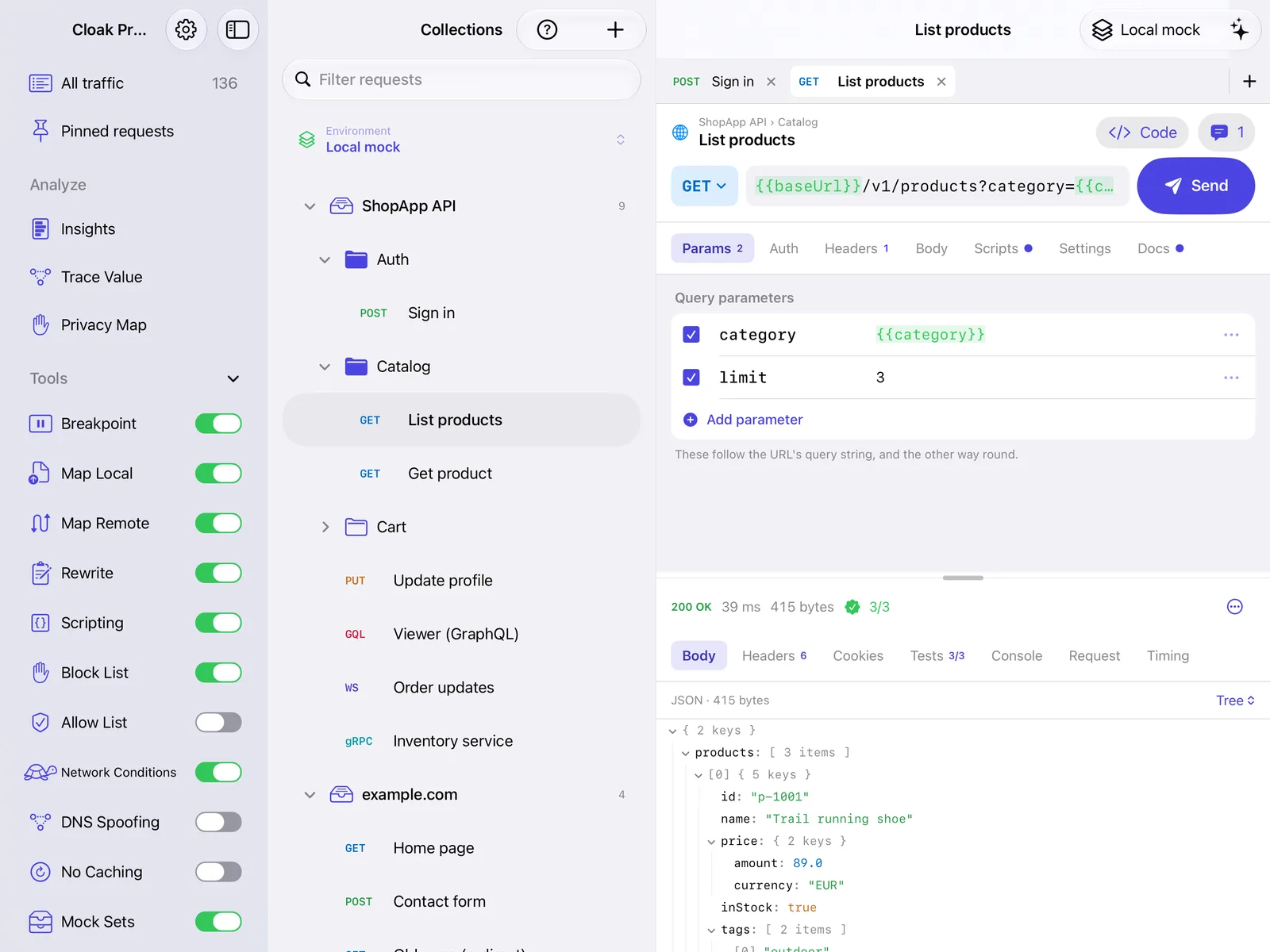
Send requests, write tests and run whole collections without leaving the app. Workspaces are plain files you can open from Files.
- HTTP
- GraphQL
- WebSocket
- gRPC
- Socket.IO
- MQTT
- TCP
- UDP
- MCP
- Collections, folders, environments and variables
- Import collection files and OpenAPI specs
- JavaScript tests and a collection runner
- Mock servers, monitors and flows
- AI requests and Agent Mode with your own key, asking before anything is sent
For AI assistants
Let Claude read the traffic. Only when you say so.
Turn on Settings › AI assistants and MCP clients on your network, such as Claude, can read the captured traffic and use the API client. It's off by default and protected by a token, and the app says what an assistant can read before you turn it on.
Privacy
Your traffic stays on your device.
No account, no ads, no tracking. The certificate is made on your device and its private key never leaves it, and Cloak Proxy explains what a root certificate allows, and how to remove it, before you install it. Subcloak receives nothing from the app.
Good to know
What iOS allows, and what it doesn't.
- Background capture is VPN capture
- VPN capture keeps going while you use other apps; iOS shows it as a VPN, and only one VPN runs at a time. With the Wi‑Fi proxy instead, keep Cloak Proxy on screen on iPad (Split View, Slide Over or Stage Manager); on iPhone it keeps capturing for about 30 seconds after you switch away.
- Apps that skip the proxy
- Both capture methods use the system proxy setting, so apps that ignore it aren't captured. Cloak Proxy on a Mac can capture them.
- One device, no account
- Everything stays on the device. There's no pairing with a Mac and no Personal or Team Cloud on iPhone or iPad yet.
Stuck on the certificate or the Wi‑Fi proxy? iPhone and iPad setup and fixes
FAQ
Questions about the iPhone and iPad app
Something else? Email hello@subcloak.com or book a call.
Is it free?
Yes. Cloak Proxy for iPhone and iPad is free on the App Store, with no account, no ads, no tracking and no in-app purchases. It isn't available in France.
Which devices does it run on?
Any iPhone or iPad with iOS 17 or later (iPadOS 17 on iPad).
Do I need a Mac?
No. The proxy runs on the iPhone or iPad itself and captures that device's apps. To capture several devices at once, or apps that ignore the system proxy, use Cloak Proxy on a Mac.
Does it keep capturing when I switch apps?
With VPN capture, yes: it captures while you use other apps, lock the screen or close Cloak Proxy, until you turn it off. With the Wi‑Fi proxy, the proxy runs inside the app, so keep it on screen on iPad (Split View, Slide Over or Stage Manager); on iPhone it keeps capturing for about 30 seconds after you switch away.
Does it use a VPN?
Only if you choose VPN capture, and only on the device: Cloak Proxy runs its proxy on your iPhone or iPad and gives iOS a proxy setting that points at it. iOS shows it as a VPN, but nothing is sent anywhere through it, your IP address doesn't change, and each request goes to the server the app was talking to. The Wi‑Fi proxy method uses no VPN. Apps that ignore the system proxy aren't captured either way.
Does Subcloak see my traffic?
No. Captured traffic stays on your device, and the certificate's private key is made there and never leaves it. The app only connects to what you ask it to, such as the hosts your apps call or an AI provider you add your own key for. Privacy policy.
Can Claude use it?
Yes. Turn on Settings › AI assistants and an MCP client on your network, such as Claude, can read the traffic and use the API client. It's off by default and protected by a token.
Is Personal Cloud on iPhone and iPad?
Not yet. Personal Cloud and Team Cloud work on the Mac for now.
See every request your iPhone or iPad makes.
Free · iOS 17 or later