Subcloak
On this page
You want to see what your app sends over the network, change it and send it again, and you’re choosing a tool for 2026. This page compares Charles, Proxyman, HTTP Toolkit, mitmproxy and Cloak Proxy on what decides the choice: price, platforms, license, mocking, scripting, phone setup, HTTP/3, AI agents and CI. Every fact comes from the maker’s own pages, checked on 20 October 2026, with Cloak Proxy at version 0.5.0.
We make Cloak Proxy, so weigh our claims about it with that in mind. Where another tool is the better choice, we say so.
The short answer
- Charles is the long-standing, cross-platform choice: a $50 license, the same tools on macOS, Windows and Linux, and an iOS app.
- Proxyman is the polished native Mac app, with Windows, Linux, iOS and Android versions, JavaScript scripting and an MCP server. Most of its debugging tools need a paid license.
- HTTP Toolkit is open source (AGPL), runs on all three desktop systems, and goes furthest on Android. Mock rules and most automation need Pro.
- mitmproxy is free, MIT-licensed and scriptable in Python. It’s the only one of the five that can proxy HTTP/3, and the best fit for scripts and servers.
- Cloak Proxy is free for life on the Mac, with every tool included, an API client, a 133-tool MCP server and App Capture for apps that ignore the proxy. It runs on macOS 14+ and on Linux as a beta, and has no Windows version yet.
The comparison table
| Feature | Cloak Proxy | Charles | Proxyman | HTTP Toolkit | mitmproxy |
|---|---|---|---|---|---|
| Price | Yes Free, no paid tier | $50 per user license, 30-day trial | Limited free trial; paid from $89 | Free Hobbyist tier; Pro and Team are subscriptions, priced by region | Yes Free |
| Platforms | macOS 14+; Linux beta | macOS, Windows, Linux, plus an iOS app | macOS, Windows, Linux, plus iOS and Android apps | macOS, Windows, Linux, plus an Android app | macOS, Windows, Linux |
| Open source | No | No | No | Yes AGPL-3.0 | Yes MIT |
| Breakpoints | Yes | Yes | Partly Paid | Yes | Yes In mitmproxy and mitmweb |
| Map Local and Map Remote | Yes | Yes | Partly Paid | Partly Pro | Yes |
| Scripting | Yes JavaScript | No None documented | Partly JavaScript, paid | No Not in the app; its engine, Mockttp, can be used on its own from Node.js | Yes Python add-ons |
| iOS Simulator and Android emulator setup | Yes Both, one click | Partly iOS Simulator | Partly Both; one click is paid | Partly Android emulator | No Manual |
| Apps that ignore the system proxy | Yes App Capture per app (network extension), or DNS capture | Partly Transparent mode with your own firewall rules | Partly Network Extension: beta, macOS 26+, paid | Partly Per-app: terminals, JVM, Docker, Electron | Yes Local capture mode |
| MCP server for AI agents | Yes 133 tools, free, read and write | No None official | Partly Yes, paid | Partly Free with read limits; write tools with Pro | No None official |
“Partly” means paid, limited or partial; the note says which. For more rows, see the full Cloak Proxy alternatives page.
What each one costs in 2026
Charles costs $50 per license, $40 each for five or more, and $30 each for ten or more. You can try it for 30 days, and major upgrades cost 40% of the original price. The current version is 5.2.2, released on 11 October 2026.
Proxyman sells perpetual licenses with a year of updates:
- Standard: $89, one seat.
- Personal: $99 (shown as a discount from $178), two seats, plus two seats for the iOS or Android apps.
- Team: $99 per seat, five seats minimum, with renewals at $79 per seat.
- Team Subscription: $12 per seat per month, billed yearly, five seats minimum, with cloud features such as log sharing and team workspaces.
The pricing page and the license docs describe the free trial differently. The pricing page says it allows 1 debugging rule and leaves out Breakpoint, Map Local, Map Remote, Scripting, MCP and the mobile apps. The license docs say it’s “limited to 2 pinned domains, 2 rules for each debugging tool, and no new tabs”, with no time limit for personal use and two weeks for business use. Either way, plan to pay if you need its debugging tools.
HTTP Toolkit has a free, open-source Hobbyist tier with interception, manual breakpoints and hand-sent requests. Pro adds mock responses, automatic rewrites, injected errors, HAR import and export, and API validation. The pricing page shows prices for your region, not one list price, so check it yourself.
mitmproxy is free and MIT-licensed. Cloak Proxy is free for life, with no trial, license key, account or paid tier.
Each tool, briefly
Charles
Charles gives you Breakpoints, Map Local, Map Remote, Rewrite, Block List, DNS Spoofing, No Caching, Repeat and Throttling, on macOS, Windows and Linux. To set up the iOS Simulator, quit it and choose Help › SSL Proxying › Install Charles Root Certificate in iOS Simulators. On an iPhone, you set the Wi-Fi proxy and open chls.pro/ssl in Safari.
Charles for iOS captures on the iPhone itself, over Wi-Fi or cellular, with no computer. Charles has supported HTTP/2 since version 4.0. There’s no documented scripting or official MCP server. Charles can run without a window (-headless) and be controlled through its web interface, and its command-line tools convert and filter saved sessions and export the root certificate.
Proxyman
Proxyman’s Mac app is native and needs macOS 14 or later. Right-click any request and choose Tools › Map Local to mock it. Scripting uses JavaScript with onRequest and onResponse functions. For the Simulator, Certificate › Install Certificate on iOS › Simulators installs the certificate in every simulator you’ve opened. On a phone, the proxy port is 9090 and the certificate comes from http://proxy.man/ssl.
Proxyman for iOS runs a local VPN on the iPhone and captures without a Mac. HTTP/2 arrived in the regular macOS app in v26.0.0, and it’s off by default: turn on Use HTTP/2 in Settings › General. The MCP server (v3 needs Proxyman 6.8.0) can read flows, create breakpoint, Map Local, Map Remote, scripting and DNS spoofing rules, and control the app. proxyman-cli exports logs and manages rules, but drives the running app rather than capturing headless.
HTTP Toolkit
HTTP Toolkit is an Electron app for Windows, macOS and Linux. Its app code is AGPL-3.0. On Android it goes furthest: on supported devices it injects its certificate over ADB, installs its Android app (a VPN that forwards traffic to the desktop) and starts capturing. iOS is manual: set the Wi-Fi proxy to port 8000, install the certificate and turn on full trust.
On the free tier, rules can only pass traffic through or pause it at a breakpoint; fixed responses, forwarding, timeouts and resets need Pro. Its engine is also a separate library, Mockttp, an Apache-licensed Node.js package for mocking HTTP in integration tests. Its MCP server is free with limits (500 outline reads and 100 body reads per session); Pro removes them and adds write tools.
mitmproxy
mitmproxy is three programs: mitmproxy (an interactive terminal UI), mitmweb (a browser UI) and mitmdump (plain terminal output, ideal for scripts and CI). Add-ons are Python files loaded with -s. Built-in options cover Map Local, Map Remote, header and body rewrites, blocklists and replay.
# Serve files from ~/static in place of example.com/static, and load your add-on
mitmdump --map-local "|example.com/static|~/static" -s addon.py
To pause traffic in the terminal UI, press i and enter a filter such as ~u /orders & ~q. Devices get the certificate from mitm.it. Local capture mode grabs a process’s traffic without a proxy setting, on Windows, Linux and macOS. There’s no one-click simulator setup and no official MCP server.
Cloak Proxy
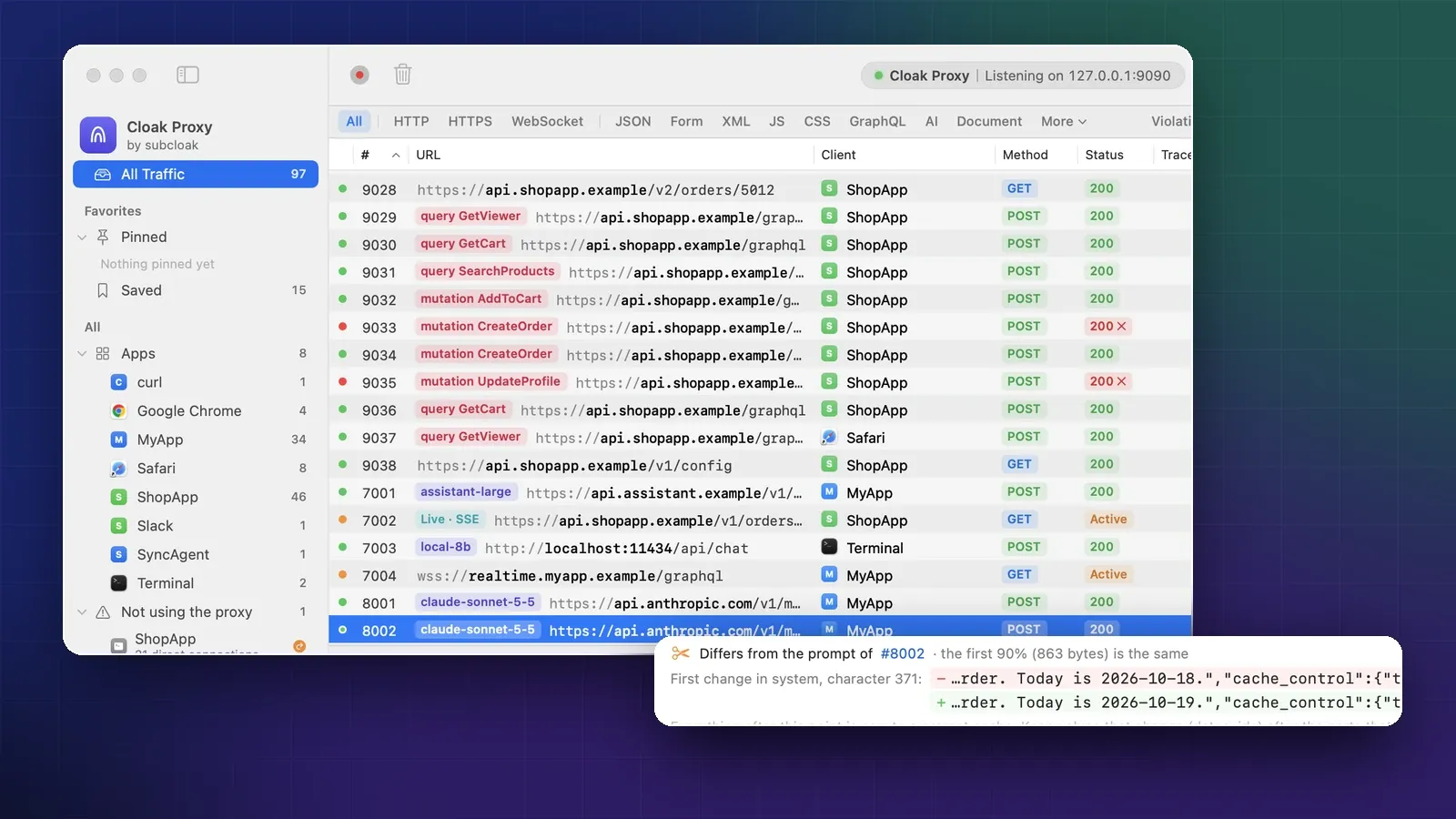
Cloak Proxy is a native Mac app for macOS 14 or later, on Apple silicon and Intel. Install it from the disk image or with Homebrew (brew install --cask subcloak/tap/cloak-proxy); teams can deploy a signed, notarized installer package, Cloak-Proxy.pkg, from a device management service. The Linux beta ships as a .deb for Ubuntu 24.04+ and Debian 13+, an RPM for Fedora 43+ and RHEL 10-compatible distributions, an AppImage and a portable folder, on x86_64 and ARM64. All 12 debugging tools are free, including Breakpoint, Map Local, Map Remote, Rewrite and Scripting (JavaScript). It installs its certificate in every booted iOS Simulator with one click and sets up Android over adb. Since 0.5.0, App Capture, a network extension you allow once, sends every TCP connection of the Mac apps you pick through Cloak Proxy, even apps that ignore the proxy; it can also capture an app’s domains by answering their DNS lookups.
Beyond the proxy, it has an API client with 11 protocols, an MCP server with 133 read and write tools, and cloakctl for headless runs. Moving from Charles? Tools › Import Rules… reads a Charles settings export. For one-to-one comparisons, see Cloak Proxy vs Proxyman, vs Charles and vs HTTP Toolkit.
HTTP/2 and HTTP/3
All five decrypt and show HTTP/2 (Proxyman’s support is in its macOS app). HTTP/3 is different. It runs over QUIC, which uses UDP, while a client reaches a regular proxy through a CONNECT tunnel, which carries TCP. So a classic forward proxy never sees HTTP/3. In practice, most apps don’t use HTTP/3 while a proxy is set, so you still see their requests over HTTP/2 or HTTP/1.1.
| Tool | HTTP/2 | HTTP/3 |
|---|---|---|
| Cloak Proxy | Yes | No. Its Doctor flags apps that hold QUIC sockets, and App Capture blocks HTTP/3 for the apps you pick so they fall back to TCP |
| Charles | Yes, since 4.0 | Not proxied; its release notes mention HTTP/3 only for HAR import and version strings |
| Proxyman | Yes, in the macOS app since v26.0.0, off by default | Not mentioned in its docs |
| HTTP Toolkit | Yes | Not mentioned in its docs |
| mitmproxy | Yes, except unencrypted h2c | Yes, in reverse, local and WireGuard modes only |
mitmproxy’s HTTP/3 support has limits of its own: QUIC version 1 only, client replay is broken, and it has “only been extensively tested with cURL”.
AI agents and CI
Three of the five have an MCP server for agents such as Claude Code or Cursor. Cloak Proxy’s is free, with 133 tools, and by default redacts credentials before they reach the model. Proxyman’s comes with its paid plans and also redacts sensitive data in its responses. HTTP Toolkit’s is free with read limits, and fully featured with Pro. Charles and mitmproxy have no official one; community projects wrap both.
For CI, mitmproxy is the most flexible: mitmdump plus Python runs anywhere Python does. HTTP Toolkit’s Mockttp fits Node.js test suites. Cloak Proxy’s cloakctl run wraps a test command, can record its traffic as HAR and can fail the build on server errors or leaked secrets:
cloakctl run --ssl '*' --record run.har --redact --fail-on-5xx --fail-on-secrets -- npm testThat needs a macOS runner, or cloak-proxy --headless on Linux. Charles can also run headless in a CI job, controlled through its web interface; Proxyman’s CLI drives the running app.
Who should pick what
- Pick Charles if your team works across macOS, Windows and Linux, you want a mature tool for a $50 license per major version, or you need to capture on an iPhone with no computer.
- Pick Proxyman if you want a polished native Mac app with vendor support and will pay for it, if you use Windows as well, or if you want its iOS and Android apps.
- Pick HTTP Toolkit if you want open source in a desktop app, you’re on Windows or Linux, or you debug Android a lot. Pay for Pro if you need mock rules.
- Pick mitmproxy if you want free and open source, scripting in Python, a proxy for servers and CI, or HTTP/3.
- Pick Cloak Proxy if you’re on a Mac, want every debugging tool without paying, and value an API client, MCP tools for agents and CI checks in the same app.
Where Cloak Proxy falls short
Be clear on these before you switch:
- No Windows version yet. Linux is a beta: a .deb, an RPM, an AppImage and a portable folder, with no Flatpak yet.
- Closed source. The GitHub repository holds releases and the issue tracker, not the code.
- No paid support. You report problems on GitHub. If your company needs a vendor contract, Charles or Proxyman is the safer buy.
- No iPhone app yet, and like any proxy of this kind it can’t decrypt apps that pin their certificates.
Sources
- Charles: Buy: prices, trial and current version
- Charles: Version history: release dates, HTTP/2, HTTP/3 and the
charles filtercommand - Charles: Tools, Command-line tools, Command-line options and Web interface: tool list, CLI scope and headless mode
- Charles: SSL certificates: iPhone and Simulator setup
- Charles for iOS: on-device capture
- Proxyman: Pricing: plans, seats and trial limits on the pricing page
- Proxyman: License: trial limits in the docs
- Proxyman: HTTP/2, MCP, Command-line and Network Extension
- Proxyman: iOS Simulator, iOS device, Map Local, Scripting and Proxyman for iOS
- HTTP Toolkit: Pricing: tiers, platforms and yearly saving
- HTTP Toolkit on GitHub and httptoolkit-ui: platforms, HTTP/2 support and the AGPL-3.0 license
- HTTP Toolkit: MCP, Modify rules, iOS and Android
- Mockttp: HTTP Toolkit’s testing library
- mitmproxy on GitHub: MIT license
- mitmproxy: Protocols, Proxy modes, Features, Getting started, Add-ons, Intercepting requests and Certificates
- MDN: CONNECT and RFC 9298: CONNECT tunnels TCP; UDP needed a new method
- Cloak Proxy docs: At a glance, Free for life, Install, Install on Linux, Deploy to a team’s Macs, Capture apps that ignore the proxy, Release notes, FAQ, Doctor and Headless runs and CI
Checked on 20 October 2026.
FAQ
Is there a free alternative to Charles and Proxyman?
Yes. mitmproxy is free and MIT-licensed. HTTP Toolkit has a free, open-source tier without mock rules. Cloak Proxy is free for life on the Mac (and Linux, in beta) with every tool included. Charles costs $50 per license after a 30-day trial, and Proxyman's paid plans start at $89.
Which HTTP debugging proxy can see HTTP/3?
Of these five, only mitmproxy, and only in its reverse, local and WireGuard modes. HTTP/3 runs over QUIC on UDP, while a classic proxy's CONNECT tunnel carries TCP, so the others only see apps that fall back to HTTP/2 or HTTP/1.1. Cloak Proxy's App Capture blocks HTTP/3 for the Mac apps you pick, so they fall back to a connection it can read.
Does Proxyman have a free version?
It has a free trial, which Proxyman's pricing page and license docs describe differently. The pricing page says 1 debugging rule, with no Breakpoint, Map Local, Map Remote, Scripting, MCP or mobile apps. The license docs say 2 pinned domains and 2 rules per tool, with no time limit for personal use and 2 weeks for business use.
Which of these runs on Windows?
Charles, Proxyman, HTTP Toolkit and mitmproxy. Cloak Proxy runs on macOS 14 or later, and on Linux as a beta. There's no Windows version yet.