How to · Cloak Proxy
Capture a Flutter app's HTTP traffic.
Dart's HttpClient ignores the system proxy on every platform, so a Flutter app's requests never reach a proxy on their own. Cloak Proxy gives you a small, debug-only Dart file that sends HttpClient traffic to it and trusts its certificate; you call it from main() and pass the proxy's address when you run.
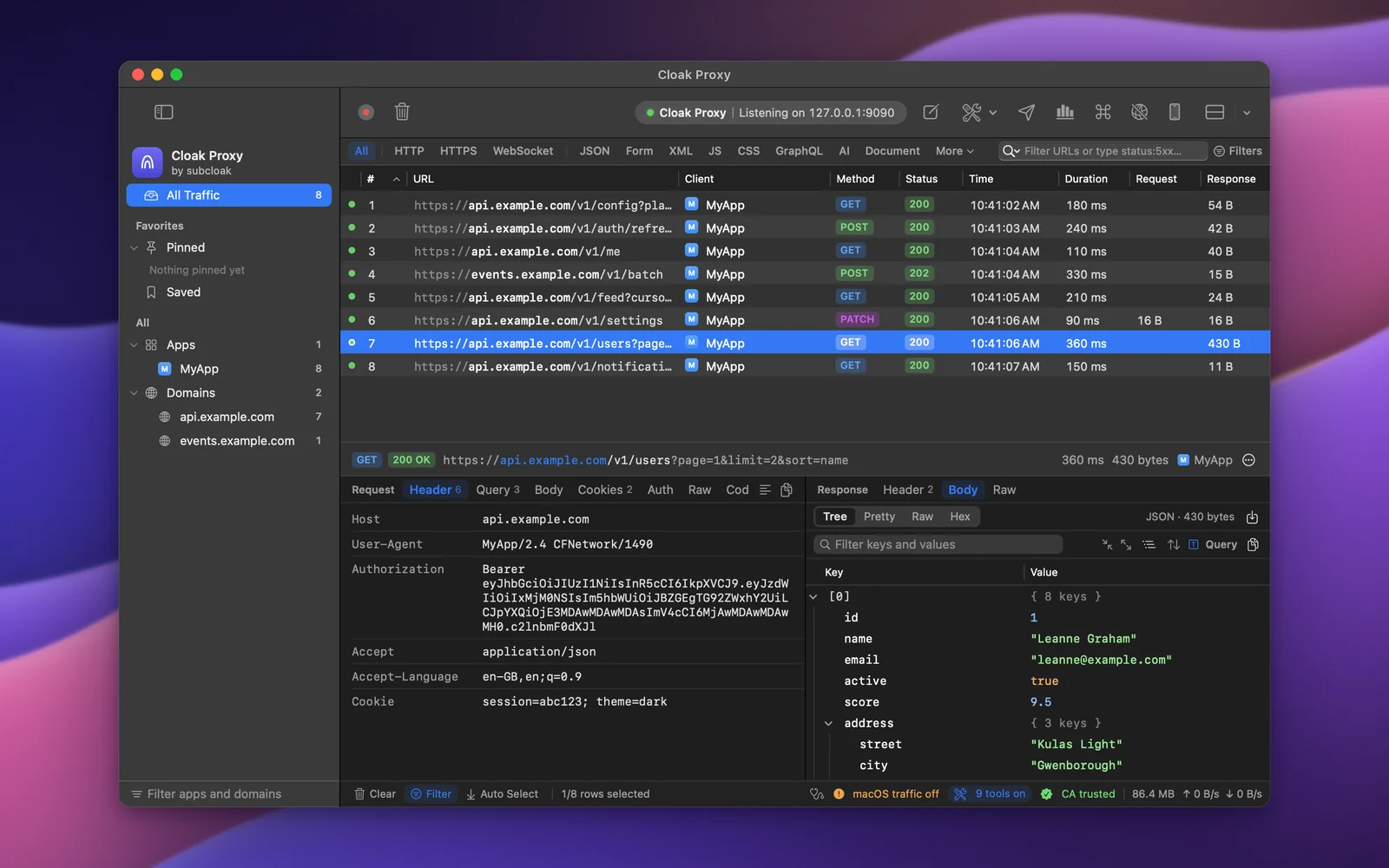
Step by step.
Install Cloak Proxy and trust its certificate
Download Cloak Proxy (free, no account) and open it. In the orange banner, click Install & Trust… and confirm with your Mac password. The certificate is made on your Mac and is unique to your install.
Add the file to your project
Open Proxy › Device & Runtime Setup…, choose Flutter, click Save to Project… and pick the folder with
pubspec.yaml. Cloak Proxy writeslib/cloak_proxy_overrides.dart, with the certificate inside it.Call it from main()
Call
install()before anything makes a request.lib/main.dart import 'cloak_proxy_overrides.dart'; void main() { CloakProxyOverrides.install(); runApp(const MyApp()); }Run with the proxy's address
install()does nothing until the run passes the address. On the iOS Simulator or macOS it's127.0.0.1:9090; from the Android emulator,10.0.2.2:9090; from a phone on Wi‑Fi, your Mac's address, with Allow other devices to connect on.iOS Simulator or macOS flutter run --dart-define=CLOAK_PROXY=127.0.0.1:9090Decrypt your API's host
Right-click a request from it in the traffic list and choose Enable SSL Proxying for the host, or add
api.example.comin Cloak Proxy › Settings… › SSL Proxying. Make the request again and its headers and body show in the inspector.
Every option, screenshot and error message is in the docs:Flutter, Android.
FAQ
If something doesn't show up.
Something else? Email hello@subcloak.com or book a call.
Does it change release builds?
No. In profile and release builds kDebugMode is false, so the code is compiled out.
Android over USB
Run adb reverse tcp:9090 tcp:9090 first (or Connect Proxy on the Android page), then use 127.0.0.1:9090.
Try it on your own traffic.
Free for life, macOS 14 Sonoma or later, Apple silicon or Intel; Linux in beta. No account, no sign-up.