How to · Cloak Proxy
Mock an API response on your Mac.
Map Local answers matching requests from your Mac instead of the server, with a response you type, a file or a folder. The quickest way is to make one from a real captured response, then edit its status, headers or body; the server is never contacted.
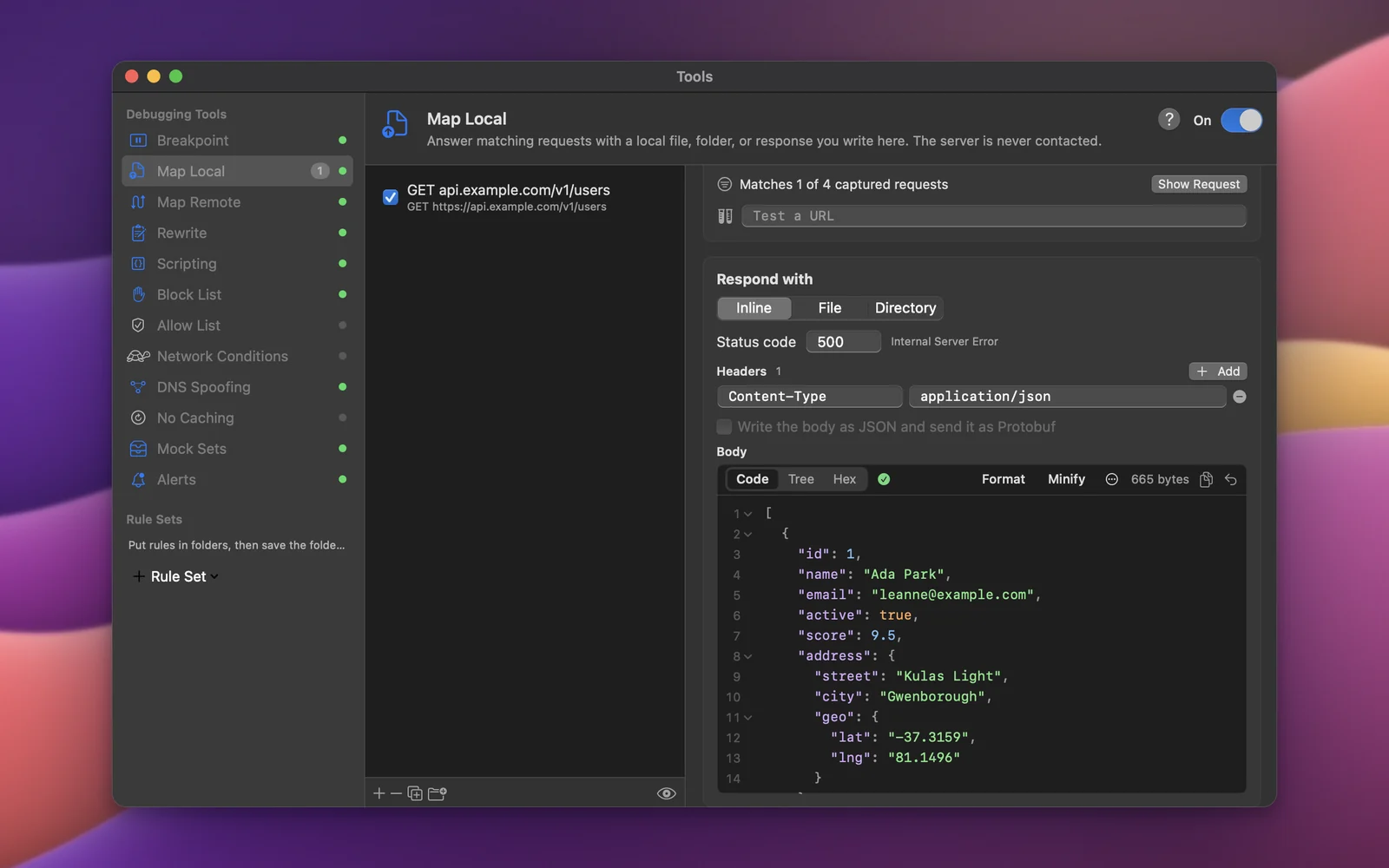
Step by step.
Install Cloak Proxy and trust its certificate
Download Cloak Proxy (free, no account) and open it. In the orange banner, click Install & Trust… and confirm with your Mac password. The certificate is made on your Mac and is unique to your install.
Make the request once
Use your app so the request appears in the traffic list. Decrypt its host first if it's HTTPS.
Create a Map Local rule from it
Right-click the request and choose Tools › Map Local…. Cloak Proxy copies the captured response into a new rule that matches the method and URL, turns Map Local on and opens the rule.
Edit the response
Under Respond with, change the status code (try 500), the headers or the body. JSON bodies show Valid JSON with Format and Minify.
Make the request again
The app gets your response, and the traffic list shows a
Map Localbadge on it.
Every option, screenshot and error message is in the docs:Map Local, Mock sets.
FAQ
If something doesn't show up.
Something else? Email hello@subcloak.com or book a call.
The app still shows the mock later
Map Local keeps answering after a restart. Check the N tools on button in the bottom bar and turn the rule off.
Serve files or a whole folder
Choose File or a folder under Respond with; a folder picks the file by the request's path.
Mock gRPC or Protobuf
Turn on Write the body as JSON and send it as Protobuf, then pick a message type and a gRPC status.
Try it on your own traffic.
Free for life, macOS 14 Sonoma or later, Apple silicon or Intel; Linux in beta. No account, no sign-up.