How to · Cloak Proxy
Capture Node.js, Python and curl HTTPS traffic.
Command-line tools usually ignore the macOS proxy and keychain, and read proxy settings and certificate paths from environment variables instead. Cloak Proxy opens a Terminal window with those variables set, or prints them for any shell, so Node.js, Python, Ruby, Go, curl, git, Deno and the AWS CLI go through it.
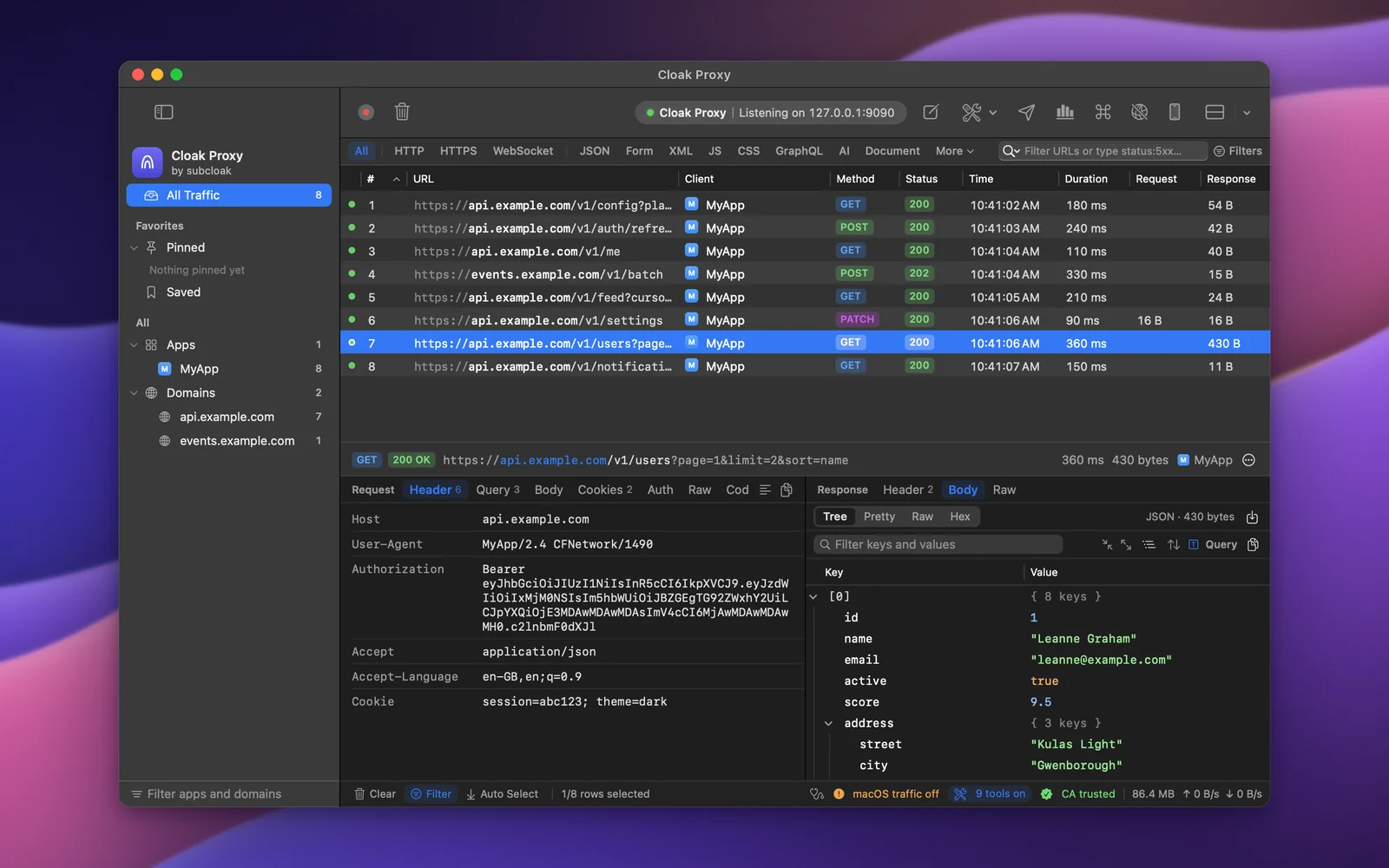
Step by step.
Install Cloak Proxy and trust its certificate
Download Cloak Proxy (free, no account) and open it. In the orange banner, click Install & Trust… and confirm with your Mac password. The certificate is made on your Mac and is unique to your install.
Open a configured Terminal
Click Devices in the toolbar, choose Terminal and click Open Terminal. Only programs started from that window are affected, and the macOS proxy can stay off.
Or configure the shell you're in
Use Copy on the same page for zsh, bash, fish or PowerShell, or let cloakctl print the lines.
Terminal eval "$(cloakctl env)"Run your program
Requests appear in the traffic list as they're made.
Decrypt your API's host
Right-click a request from it in the traffic list and choose Enable SSL Proxying for the host, or add
api.example.comin Cloak Proxy › Settings… › SSL Proxying. Make the request again and its headers and body show in the inspector.
Every option, screenshot and error message is in the docs:Terminal and runtimes, App Capture.
FAQ
If something doesn't show up.
Something else? Email hello@subcloak.com or book a call.
Node's fetch isn't captured
Node.js 24 and later use the proxy variables when NODE_USE_ENV_PROXY=1, which Cloak Proxy sets. Older Node apps can use the global-agent package, which reads GLOBAL_AGENT_HTTP_PROXY.
My local dev server stopped working
It shouldn't: NO_PROXY covers localhost and 127.0.0.1, so local requests go directly.
A Go or Rust binary skips the proxy
Many ignore HTTPS_PROXY. App Capture sends that app's traffic through Cloak Proxy anyway.
Try it on your own traffic.
Free for life, macOS 14 Sonoma or later, Apple silicon or Intel; Linux in beta. No account, no sign-up.